Learn how to evaluate data validation software using 10 must-have features for scalable, automated data quality.
Table of Contents
Like this article?
Follow our monthly digest to get more educational content like this.

Data validation has become a critical part of modern data workflows because any data quality issues affect downstream use cases and can cost your organization a great deal. Before AI entered production workflows, the impact of bad data was often slower and more contained; for example, an analyst might notice that a KPI did not look right and alert the responsible team to this anomaly for remediation. However, modern AI agents and copilots lack the business context to validate this information and will proceed whether or not the data is wrong. If it writes back to a data store, these issues can propagate further before being noticed by anyone.
Historically, data validation was handled manually by writing SQL rules and custom scripts to perform checks on the ingested data. This approach, unfortunately, cannot keep up with modern data environments with increasing data volume, evolving schemas, and continuously changing business needs. Today, data validation needs to be scalable, automated, and collaborative.
This article highlights 10 important features that modern data validation tools should have. These features are essential to streamlining your organization’s data validation process and maintaining high data quality.
{{banner-large-1="/banners"}}
Summary of key modern data validation software features
Ten must-have features in modern data validation tools and platforms
Broad integration
As an organization rolls out a centralized data validation platform, it is common to have struggles getting teams to adopt it. Having some of your data sources not integrated with the tool can lead to low validation coverage and cause blind spots that give false confidence. In AI-driven workflows, where agents and natural language queries summarize data from multiple sources, inconsistent quality can produce misleading results that seem correct.
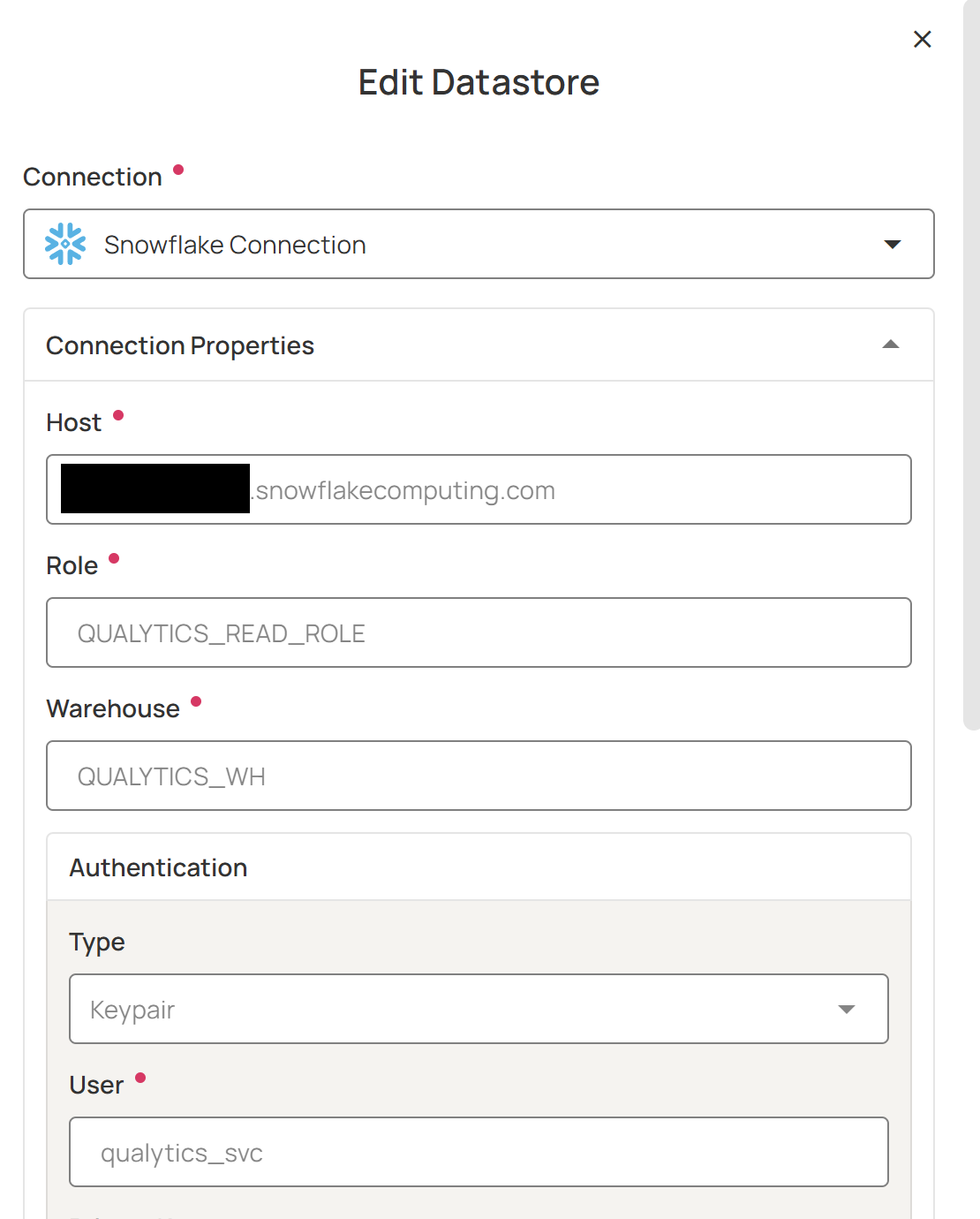
One of the ways to minimize this issue is to make sure that your teams’ data sources can be integrated quickly with your data validation tool. Prebuilt connectors and schema discovery to a wide range of data sources are necessary to enable faster integration of your data sources and maintain consistent data quality across your organization.
When evaluating data quality software, take inventory of the data sources that your organization is currently using and consider those that it may use in the future. Generally, these integrations should include modern data platforms (e.g., Snowflake, Databricks, Amazon S3, BigQuery), data warehouses (e.g., Teradata, Amazon Redshift), and RDBM systems.
Data profiling
Data profiling is a prerequisite for meaningful data validation because it provides a statistical baseline of what your data normally looks like. This baseline is then used in the next steps to define or infer rules, set thresholds, and detect anomalies when there is data that deviates from the “normal” baseline. As such, a comprehensive data profiling feature allows for a more accurate data validation and higher coverage.
Data profiles should capture key statistics from your data, such as volume, data types, null rates, distinct value counts, distributions, string patterns, and numeric summaries (min, max, mean, and standard deviation).
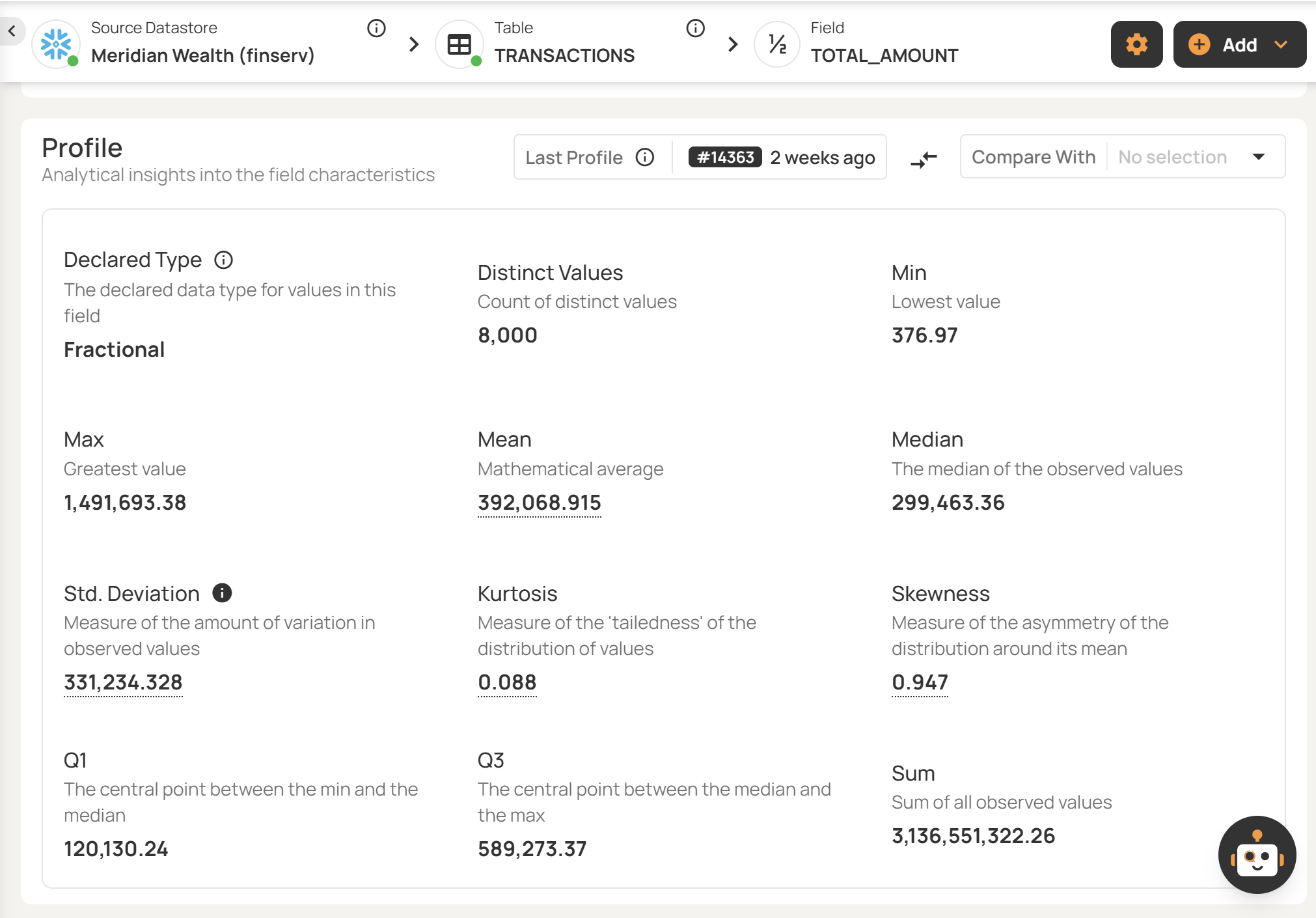
For example, a record count that suddenly dropped from 1 million to 10,000 could indicate that an ingestion job has failed; your team would want to be alerted of this anomaly before it propagates to downstream use cases.
Automated rule inference
Automated rule inference is a data quality check that is automatically generated and updated from your data profiles and data behaviour. For example, instead of manually writing “revenue > 0” as a check, the system can infer it from historical data.
As your business grows, manual rule creation is no longer enough to keep up with the growing data volume and constantly changing datasets. Automated rule inference helps your teams onboard new datasets, adapt to changes, and detect data issues that were not anticipated. Modern data validation software, such as Qualytics, can automate 95% of typical data quality checks, allowing your teams to focus their efforts on defining domain-specific validation rules.
That said, you also want to make sure that your teams still have full control and flexibility in using the rules inferred by the tool. Here are some operations to look for to evaluate this:
- Save the inferences as a draft so that they can be reviewed and refined by users
- Dry-run mode to validate rules before deployment
- Options to set the automatic inference levels based on your needs and use cases
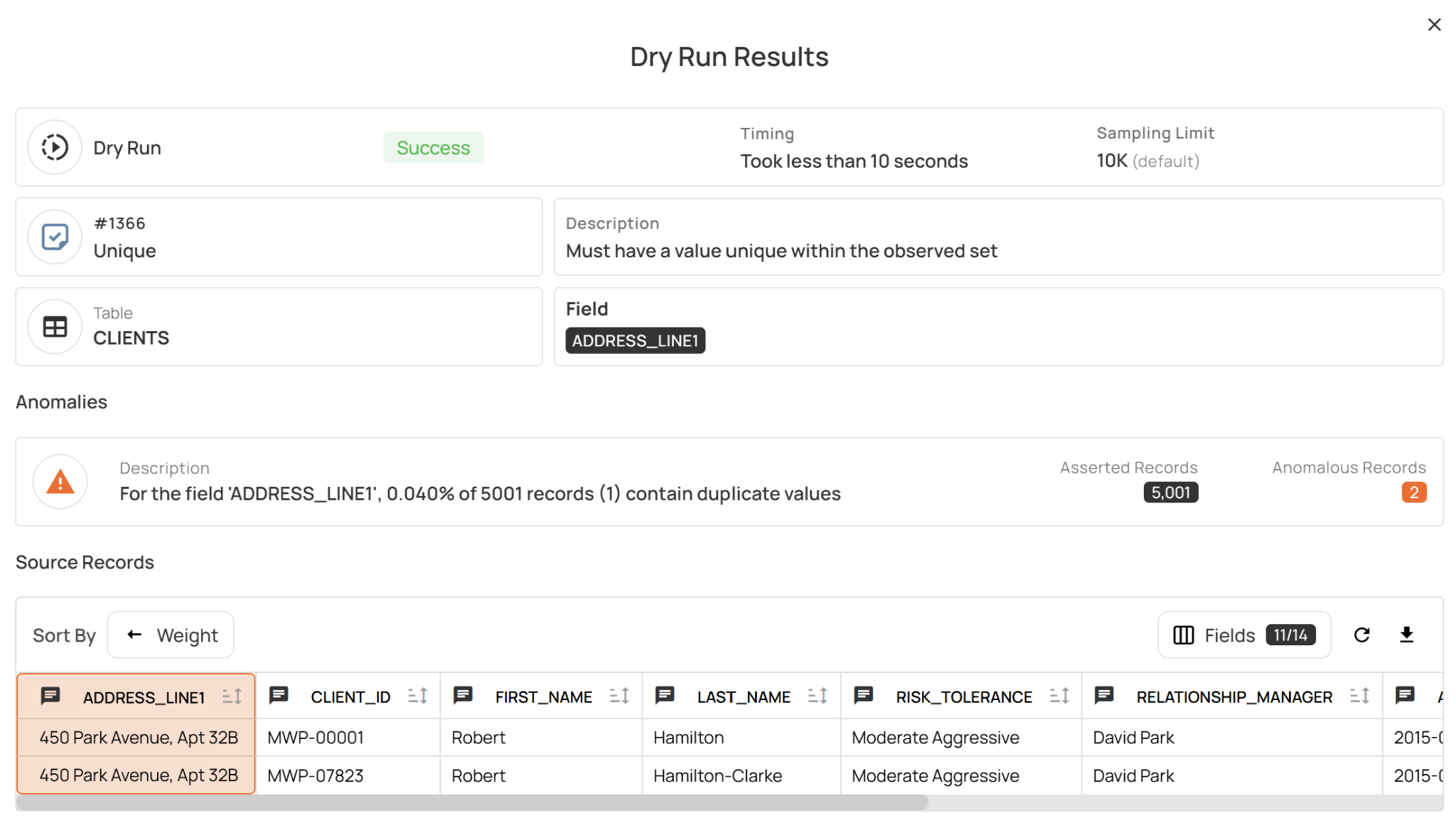
For example, the Qualytics platform provides users with five levels of automated inference:
- Level 1: Data integrity and simple value threshold checks like completeness, non-negative numbers, and non-future date/time
- Level 2: Value range and pattern checks, such as date range, string pattern, numeric range, and approximate uniqueness
- Level 3: More advanced checks for time series and the comparative relationships between datasets
- Level 4: Checks to identify trends and outliers using linear regression and cross-datastore relationships checks
- Level 5: Checks that validate the distribution shape of your data
Rule lifecycle management
To support constantly changing data validation rules, teams need capabilities to manage the rule lifecycle, which generally includes these stages:
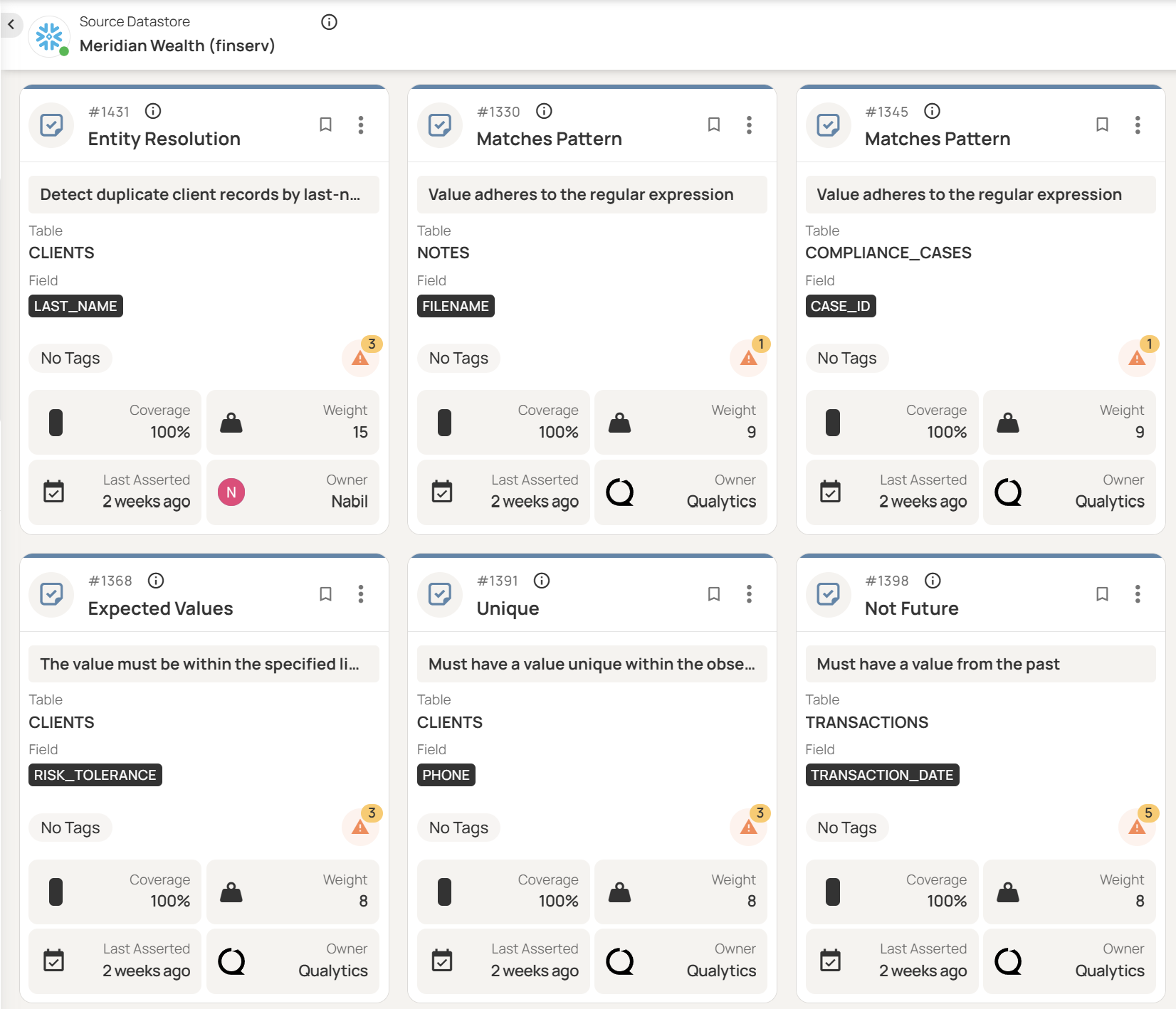
- Draft: Rules that are not yet running actively; for example if they still need to be reviewed by other team members or need a dry run to be performed
- Active: Rules that are actively running to monitor anomalies on data
- Archived: Rules that are no longer relevant for the current business or data requirements
- Invalid: Rules that should be retired from future inference, which helps the rule inference system improve its ability to infer valid checks
You also want to look out for versioning capabilities because they play a key role in long-term rule maintenance. As team structures and ownership change, it is important for your team members to understand the evolution of the rules and see what configuration was active at a certain point of time. This lets teams confidently make updates to existing checks since they can roll back when needed. A version log that shows what changed, when, and by whom also ensures accountability and supports compliance.
A centralized platform that lets you perform these operations will help your organization maintain consistent data quality.
Anomaly lifecycle management
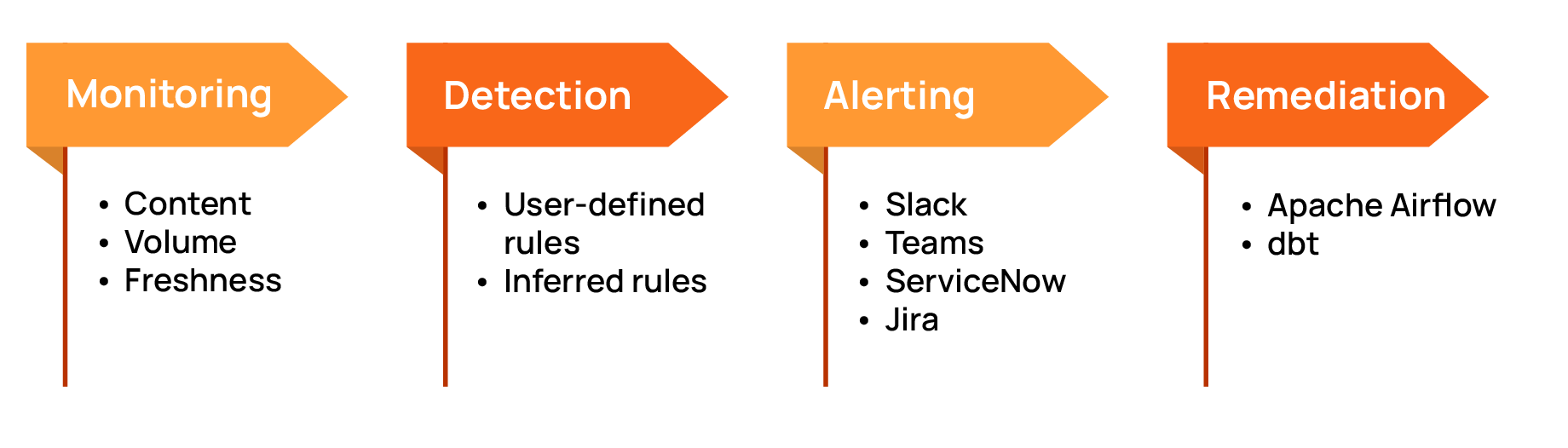
Anomalies detected by your data validation rules need to be managed efficiently in order to improve your data quality. It is important that your data validation tool be able to centrally manage the end-to-end anomaly lifecycle: from monitoring and detecting to alerting and remediation.
For comprehensive monitoring, your platform should unify multiple validation dimensions:
- Content: Does your data comply with the validation rules?
- Volume: Are the incoming record counts within the expected range?
- Freshness: Did the data arrive on time to meet the service-level agreement (SLA)?
As an example, let’s say you have an IoT sensor that captures the weather temperature every second and sends it to your data pipeline every minute. To ensure that your end-to-end data flow is working well, the data quality tool should verify these metrics:
- Content: The temperature data in the expected format and data type, and the value is within reasonable range for weather in that area.
- Volume: Your data pipeline ingests 60 data points every minute.
- Freshness: Timestamps on the data points are within the freshness SLA (for example, 3 minutes).
You can see in this example that it is crucial to monitor all three dimensions. If the data arrives on time and in the correct format but with less than 60 records per minute, it indicates that there are issues in the data pipeline that need to be resolved.
Your tool should also detect anomalies based on user-defined rules and rules inferred from data profiles and past behavior. If you are working with very large tables (e.g., billion-row datasets), look for features that help optimize compute resources, like incremental scanning and sampling modes.
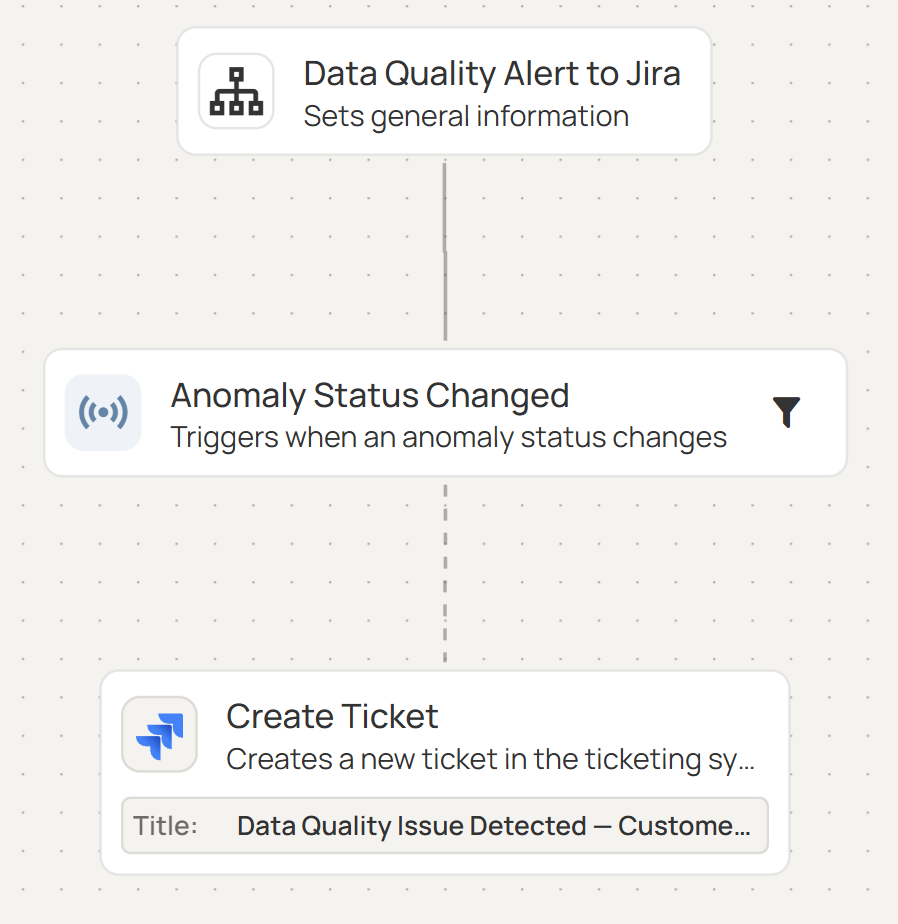
Upon detection, anomalies should trigger alerts and notify your teams via integrations with communications tools (e.g., Slack or Teams) and ticketing systems (e.g, Jira, ServiceNow, or PagerDuty). Modern data validation tools, such as Qualytics, can also automate remediation workflows using dbt, Apache Airflow, etc.
AI-powered augmentation
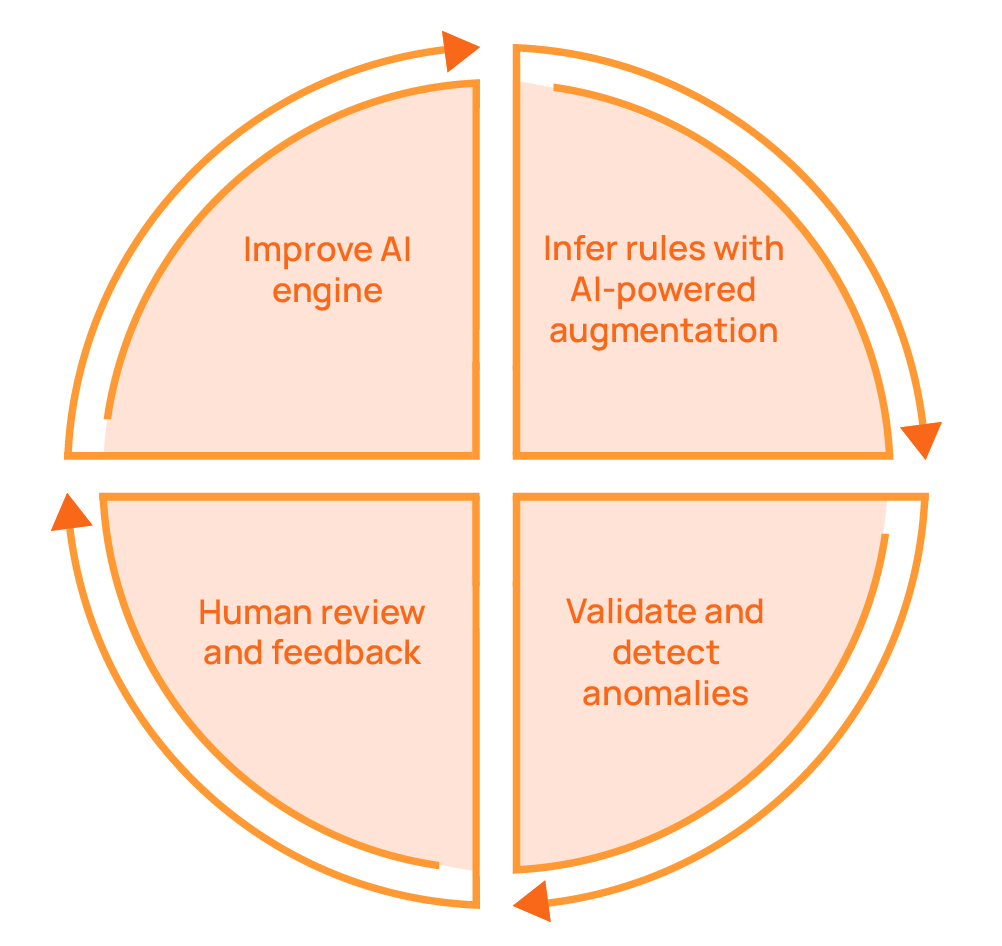
Static rules, whether created manually or through automated inference, may require manual calibration when there are changes in the data patterns. AI-powered augmentation introduces adaptive thresholds that update as data distributions shift seasonally or structurally. It uses ML-based shape and distribution checks to detect subtle structural changes that rule-based logic cannot anticipate, thus helping detect anomalies that were not expected.
For example, let’s say your website has 10,000 to 20,000 daily visits on weekdays and 8,000 to 12,000 daily visits on weekends, and the trend on a given week normally shows more visits on weekdays than on the weekend. A pattern change where the peak happens on weekends (12,000 visits) instead of weekdays (only 10,000 visits) does not violate a rule like “weekday traffic must be between 5,000 and 25,000.” However, an ML-based anomaly check that compares the weekly seasonality can identify this as an anomaly.
Fully autonomous systems with no human oversight or business context cannot reliably regulate themselves. Therefore, it is important to have human input in the feedback loop and for the AI engine to take this information into account. Modern data platforms like Qualytics continuously improve their inferred rules based on users’ feedback. As teams review anomalies, create resolutions and exceptions, and override automated rules, the AI engine will make better inferences over time. This helps improve validation accuracy without requiring constant manual recalibration.
From a privacy and security perspective, it is also key to make sure that your data is only used to train your AI engine and that it is not shared between customers.
Queryable enrichment data store and BI integration
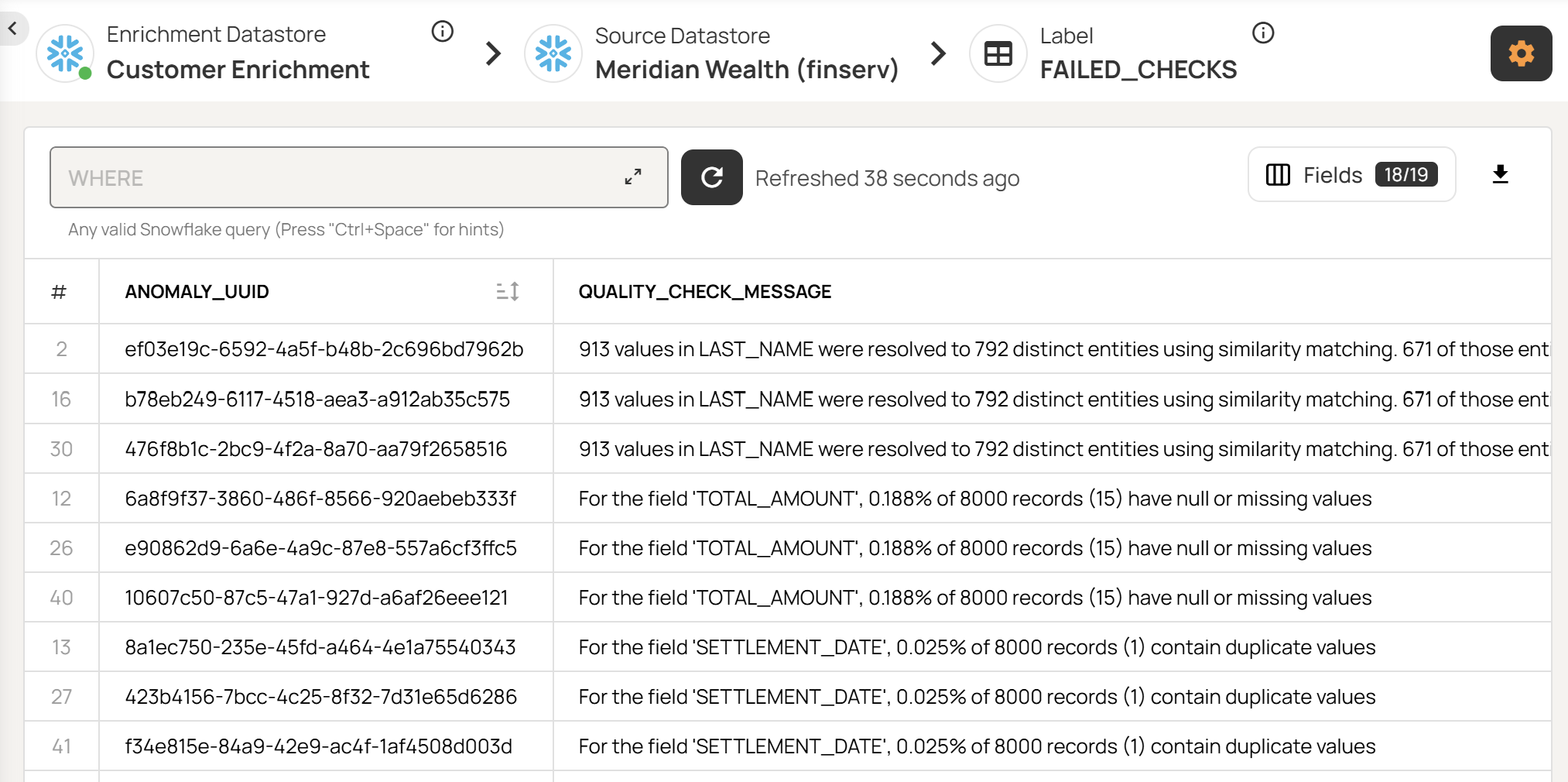
An ideal data validation platform should allow the decoupling of validation results from the platform itself. This gives flexibility to your teams to create analyses and reports from the validation results without being limited by the platform’s UI roadmap.
This goal can be achieved with features that let users have a separate queryable data store for validation results and metadata that they fully control and own. The data store can then be analyzed via SQL, integrated with BI tools like Power BI or Tableau for custom reports, and even used as a foundation for agentic querying of validation data.
Collaboration support
Many data validation rules are a result of not just technical but also business requirements. As such, data quality is a shared responsibility between multiple roles: data engineers, analysts, business users, and so on. It is also important to have consistent data quality efforts across different domains and departments to meet organization-level compliance.
It is important to choose a unified data validation platform with features that support collaboration at various levels. Here are some key operations to look for in order to streamline your data validation workflows:
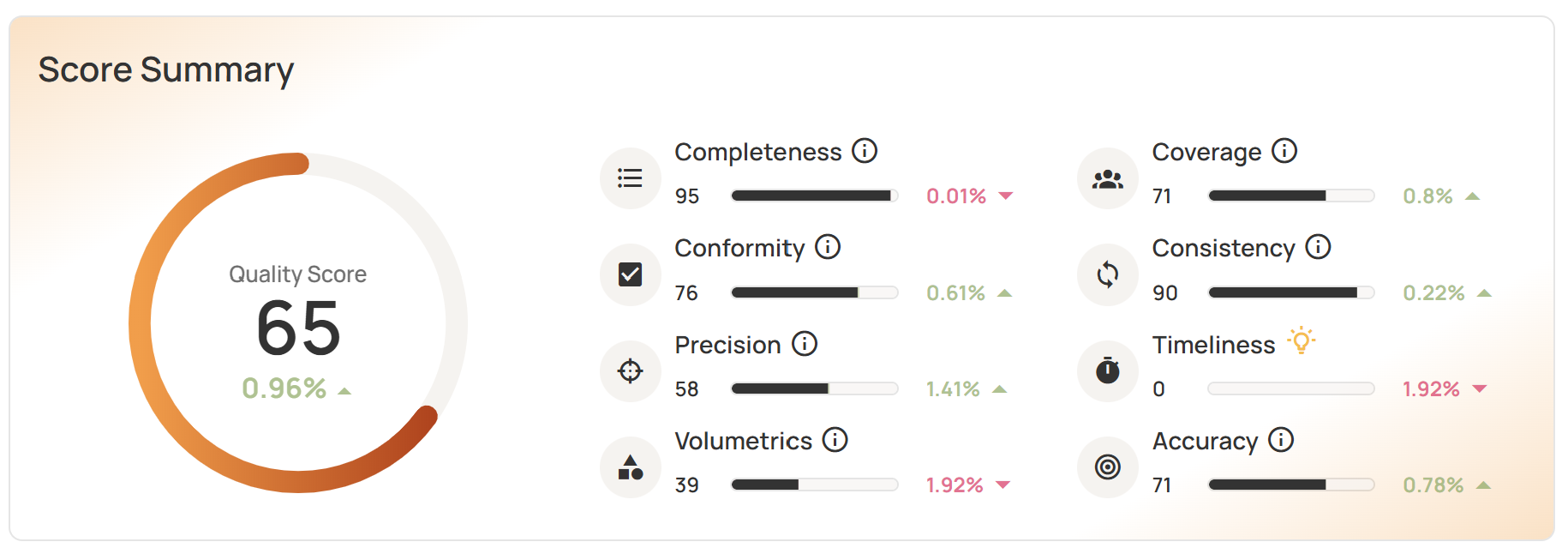
- A unified scorecard that shows an overall data quality score but can be drilled down to the domain level or even field level so that different roles can monitor the relevant metrics.
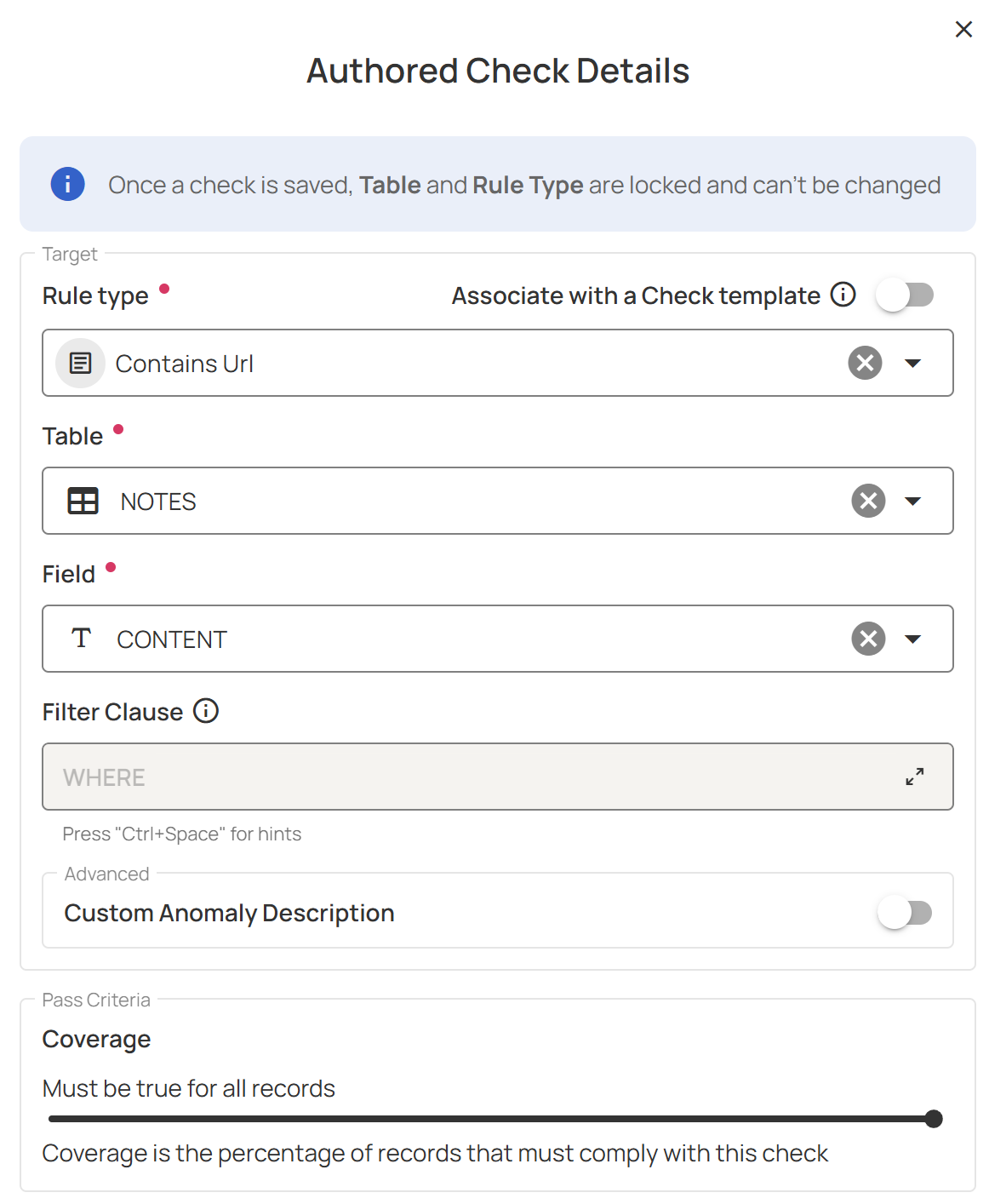
- Low-code rule authoring to enable business SMEs to create rules with complex logic
- Cross-functional rule review, where both business users and data engineers can review data checks before activation, ensuring that they meet both technical and business requirements
- Assignment of anomalies to a data steward or owner with context, severity, and escalation paths to establish clear responsibility for remediation efforts
- A centralized library that stores rule templates to be reused across multiple datasets, which prevents teams from independently authoring and managing data checks for the same data types
Read-in-place security architecture
Data validation platforms generally follow one of two architectures: copy to platform or read in place. In the former, source data is copied to the data validation tool to be analyzed for anomalies; in the latter, that raw data never leaves your environment, and the platform uses read-only access to access the source data, thus preventing unwanted modification or corruption of production data.
Using a data validation tool with a read-in-place security architecture can minimize the risks involved with data movement. It also reduces data residency and compliance risks, which can be particularly important if your organization is operating in regulated industries such as financial services and healthcare.
Programmatic access
Data validation workflows need to be automated to make them repeatable and consistent. In CI/CD environments, data quality operations must be triggerable, queryable, and scriptable without manual interactions from the UI. Furthermore, having programmatic access also enables easier integrations with external tools.
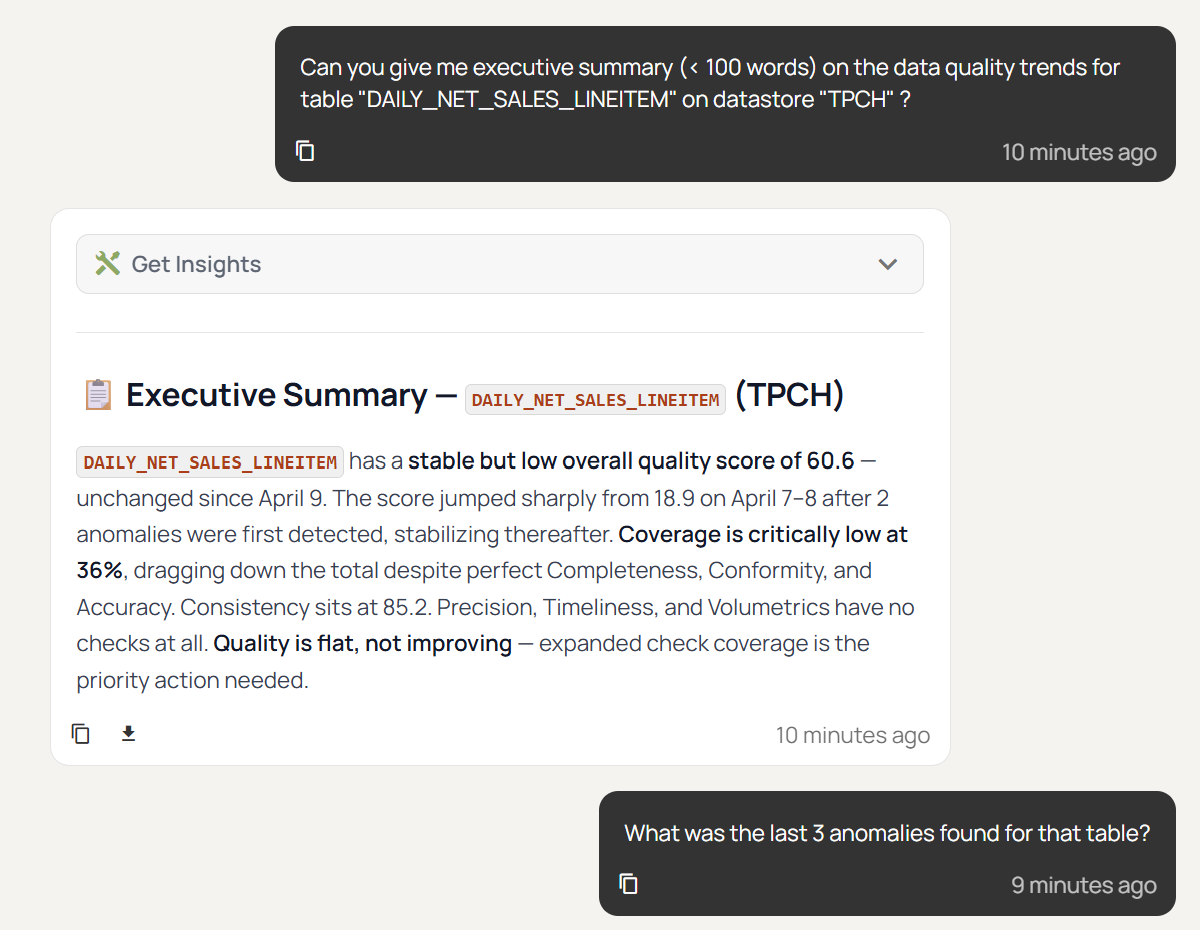
In an era where agentic and AI-based processes have become a core part of business workflows, it is also important to integrate data quality and anomaly information into them. This means your agents and copilots can verify the data before using it to produce insights, thus increasing the trustworthiness of your AI systems. A modern data platform like Qualytics can also provide built-in agentic AI assistant so that your teams can query data quality insights with natural language. The screenshot below shows a sample chat with the “Agent Q” feature on Qualytics where the user inquired about data quality trend for a specific table.
In summary, a modern data validation platform should provide programmatic access from these three interfaces:
- A REST API for system-to-system integration
- A CLI for CI/CD pipeline and infrastructure-as-code integration
- An MCP server and agentic API for agentic and AI-driven workflow integration
Finally, it is also important to evaluate whether these programmatic access endpoints expose the full features of the platform or if they are limited to basic actions such as triggering scans.
{{banner-small-1="/banners"}}
Conclusion
Data validation has evolved from manual SQL checks into a core function of modern data practices. When evaluating data validation software, you should focus on the features that enable the tool to remain sustainable as data volumes, schemas, and team structures change.
A comprehensive data validation platform should not only allow users to create manual checks but also support an end-to-end rule and anomaly lifecycle, automated rule inference with AI augmentation, and the ability to act as a centralized platform for all roles and domains in your organization. A platform that delivers on all of these capabilities, like the one Qualytics offers, provides the foundation for trusted data analytics.
Chapters
Improving Data Governance and Quality: Better Analytics and Decision-Making
Learn about the relationship between data governance and quality, including key concepts, implementation examples, and best practices for improving data integrity and decision-making.
Data Quality Checks: Tutorial & Automation Best Practices
Learn the fundamentals of data quality checks, like structural and logical validation, monitoring data volume, and anomaly detection, using practical examples.
Data Quality Assessment: Tutorial & Implementation Best Practices
Learn systematic approaches to assess data quality using automated tools and best practices for reliable validation.
Data Quality Dimensions: A Complete Guide with Examples
Learn the eight data quality dimensions every data engineer needs to ensure reliable, accurate data pipelines.
Data Quality Scorecard: Dimensions, Granularity, and Best Practices
Learn how a data quality scorecard helps you measure, track, and improve your organization's data quality.
What to Look for in Data Quality Software: A Guide to Features
Learn which data quality software features help teams build and sustain scalable, automated quality programs.
From Reactive to Reliable: A Guide to Modern Data Quality Frameworks
Learn the six core components of a data quality framework and how they work together to ensure reliable data.
Data Quality Automation: How Modern Platforms Validate at Scale
Learn how automated data quality platforms infer validation rules, detect anomalies, and support remediation at scale.
Data Validation Software: 10 Must-Have Features to Look For
Learn how to evaluate data validation software using 10 must-have features for scalable, automated data quality.
The Data Quality Maturity Model: A Six-level Model for AI Readiness
Learn the six-level data quality maturity model that maps your organization's path from ad hoc fixes to proactive AI-augmented governance.
Data Quality Metrics Examples: The Complete Guide
Learn how to turn abstract data quality dimensions into computable, actionable metrics that catch pipeline failures and data errors before they become incidents.
How to Choose the Best Data Quality Tools for Your Team: Key Features and Benefits
Learn what modern data quality tools do, why they matter, and how they use AI and automation to keep your data trustworthy.