Release 2025.1.16

Mid-January 2025 release delivering advanced quality trend analytics, improved metadata management, enhanced API documentation, and optimized performance across all modules.

Rafael Osiro

Jan 16, 2025

3

min read

Table of Contents

Note
These notes catch up with several releases since our last published update on 2025.12.23 and are current as of the 2025.1.16 version of the platform
.

Feature Enhancements

Flows

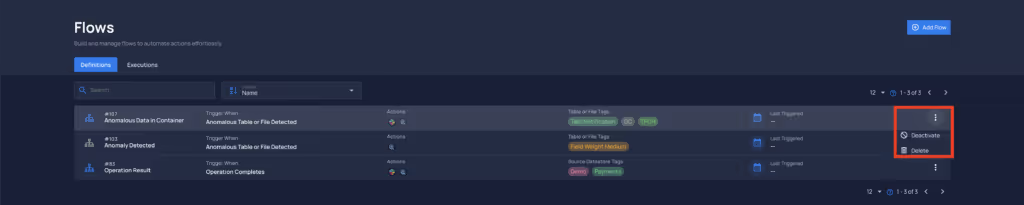
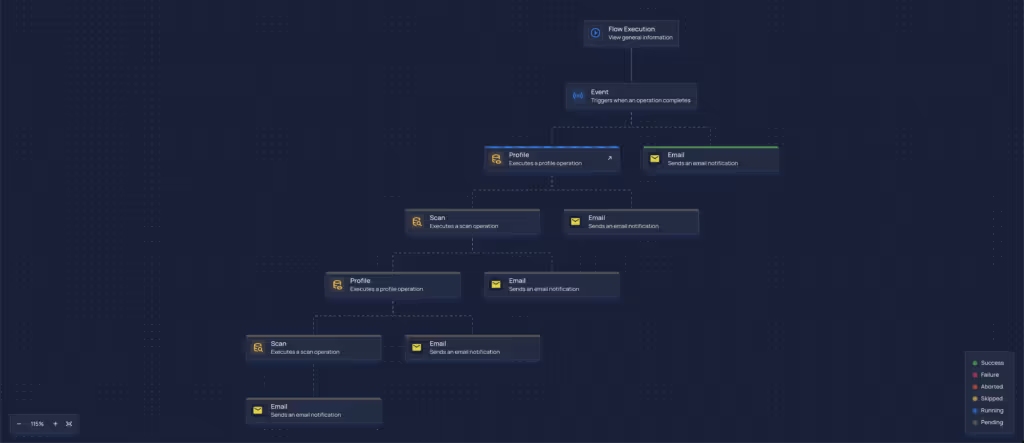
  • Introducing Flows: Users can now create automated pipelines by chaining actions and configuring triggers based on predefined events and filters.
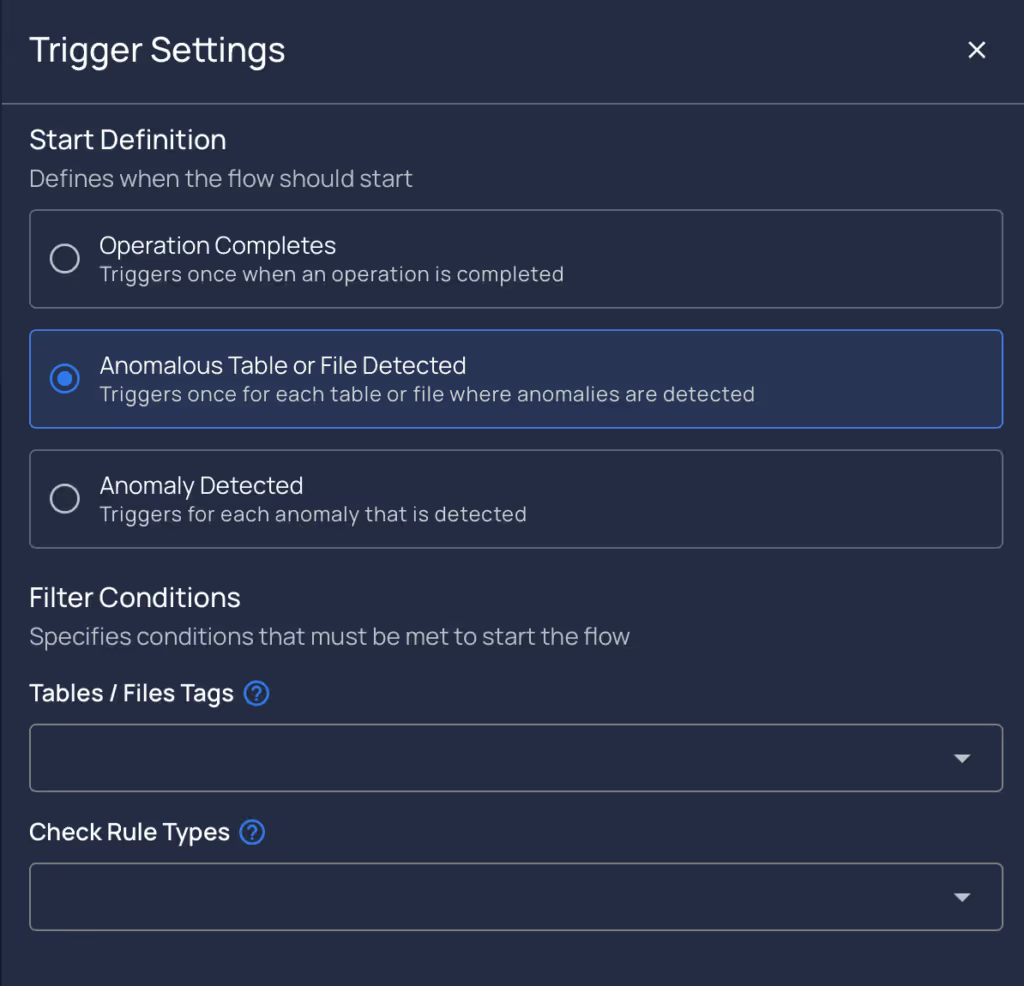
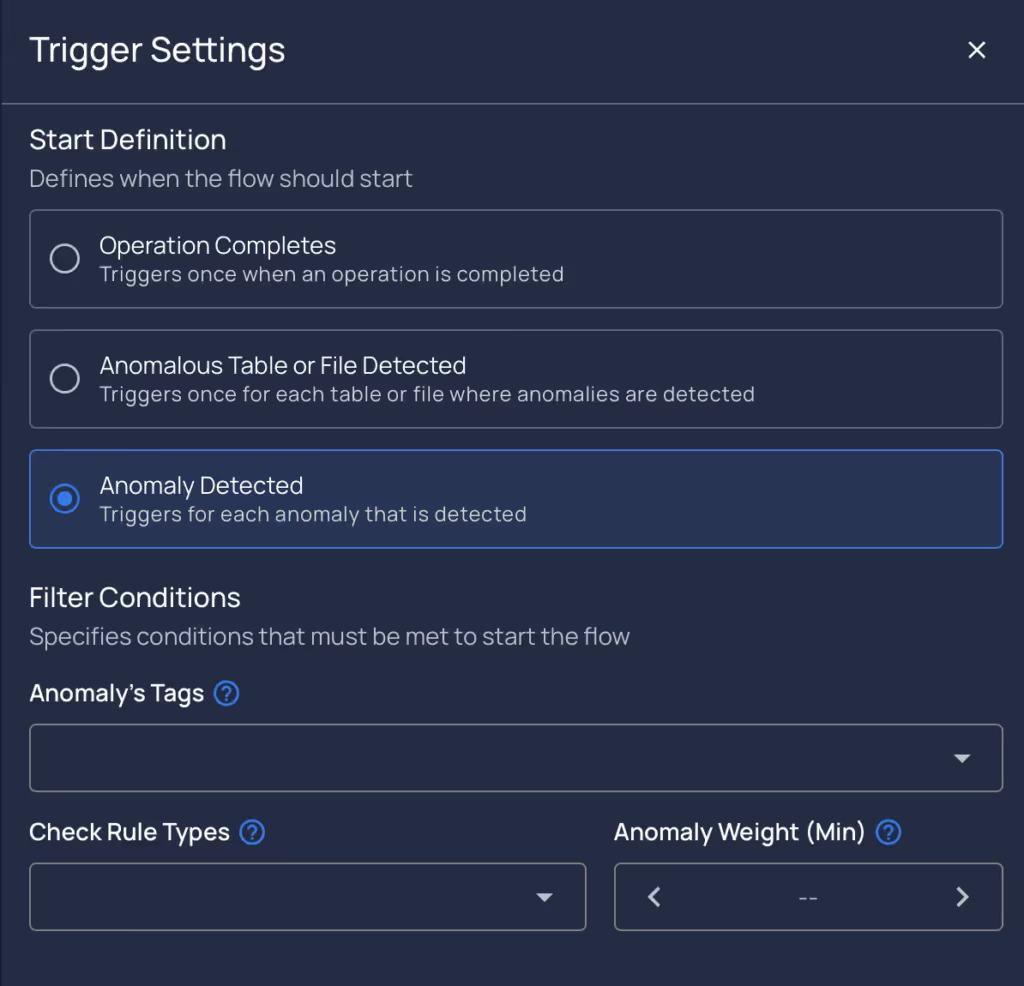
    • Triggers: Configurable based on events, filters, and operation conditions.
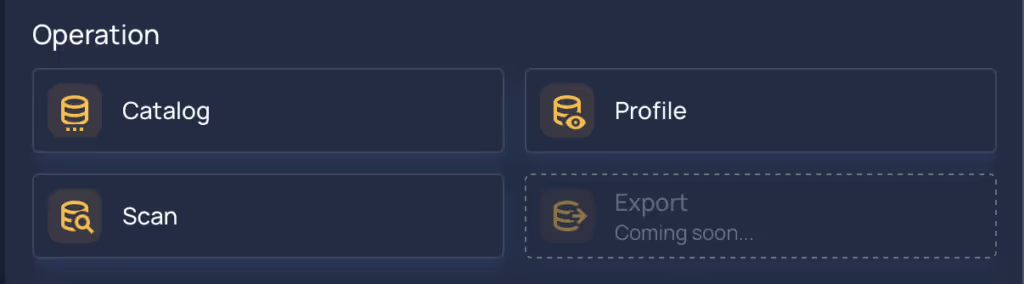
    • Actions: Include notifications (Email, Slack, PagerDuty, etc.) and operations (catalog, profile, and scan).
    • Real-Time Execution: Monitor execution history and real-time progress in the Flow Executions tab.
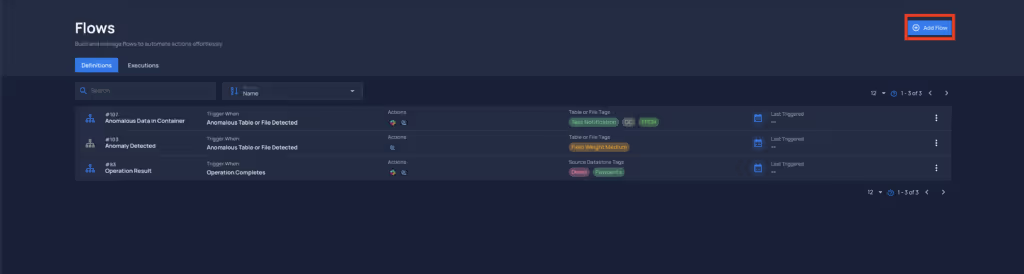
  • Setup Made Simple
    • Add and configure flows using the “Add Flow” button in the top-right corner.
    • Deactivate, delete, or edit flows via the vertical ellipses or node configurations.
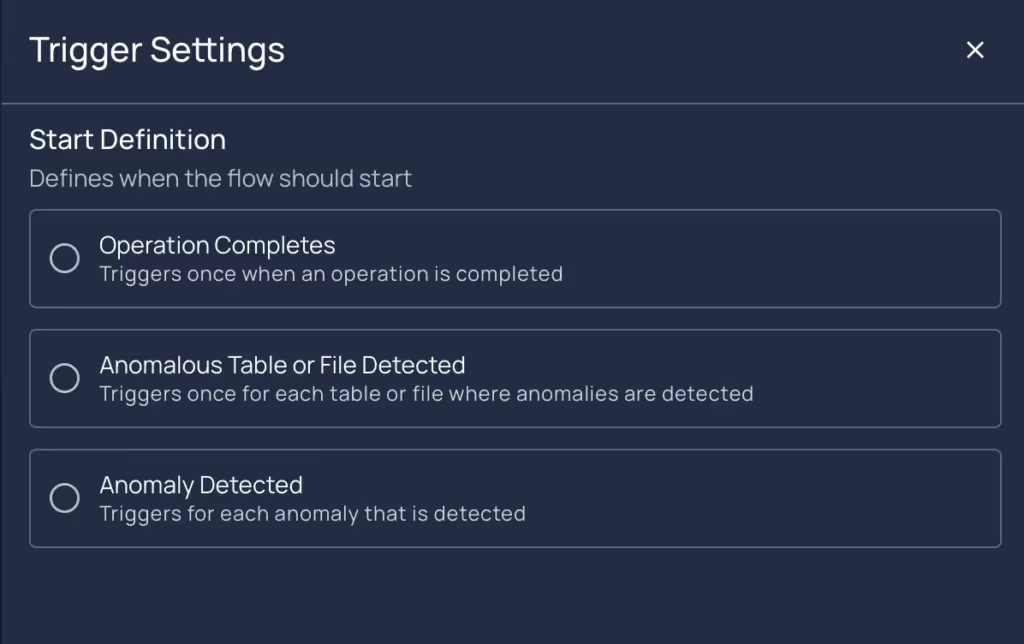
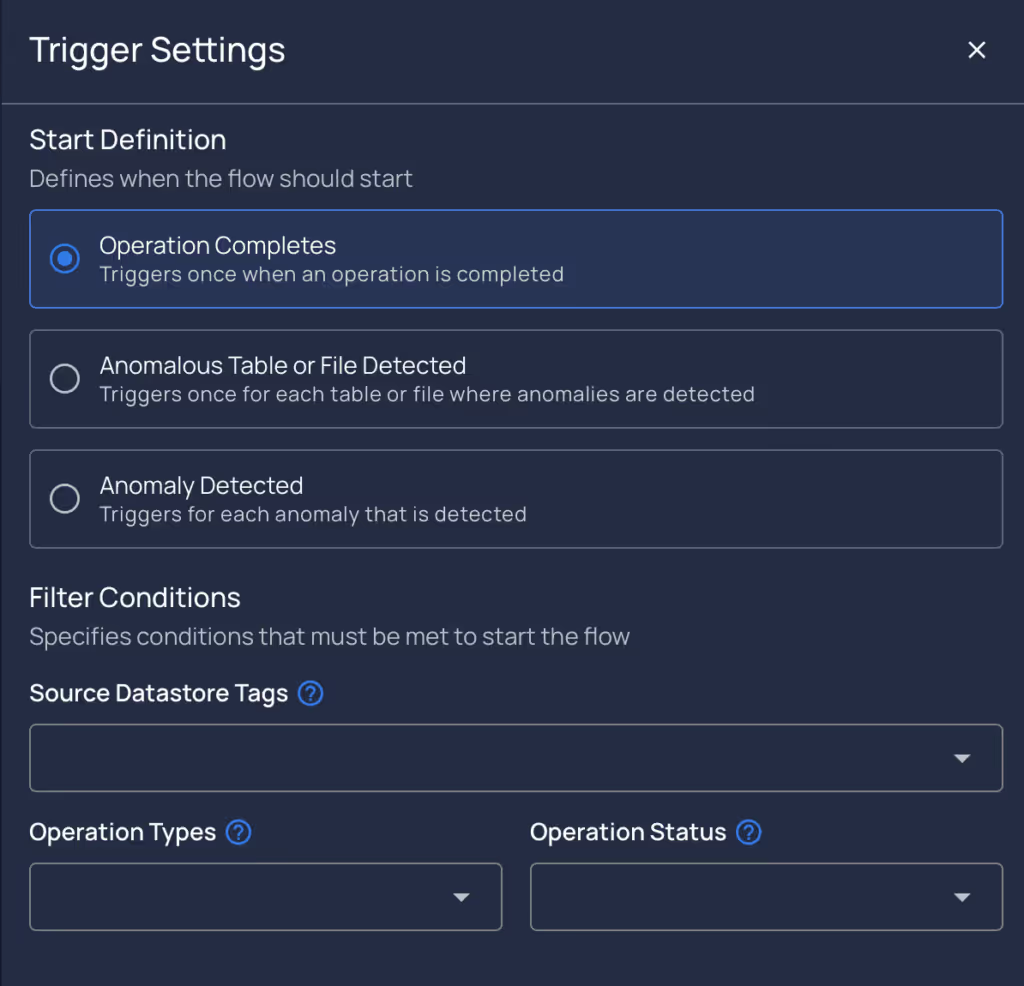
  • Enhanced Triggering Options
    • Operations Complete, Anomalous Table/File Detected, and Anomaly Detected triggers provide flexible, event-driven automation.
    • Fine-tune triggers using filters like tags, rule types, or anomaly weights.
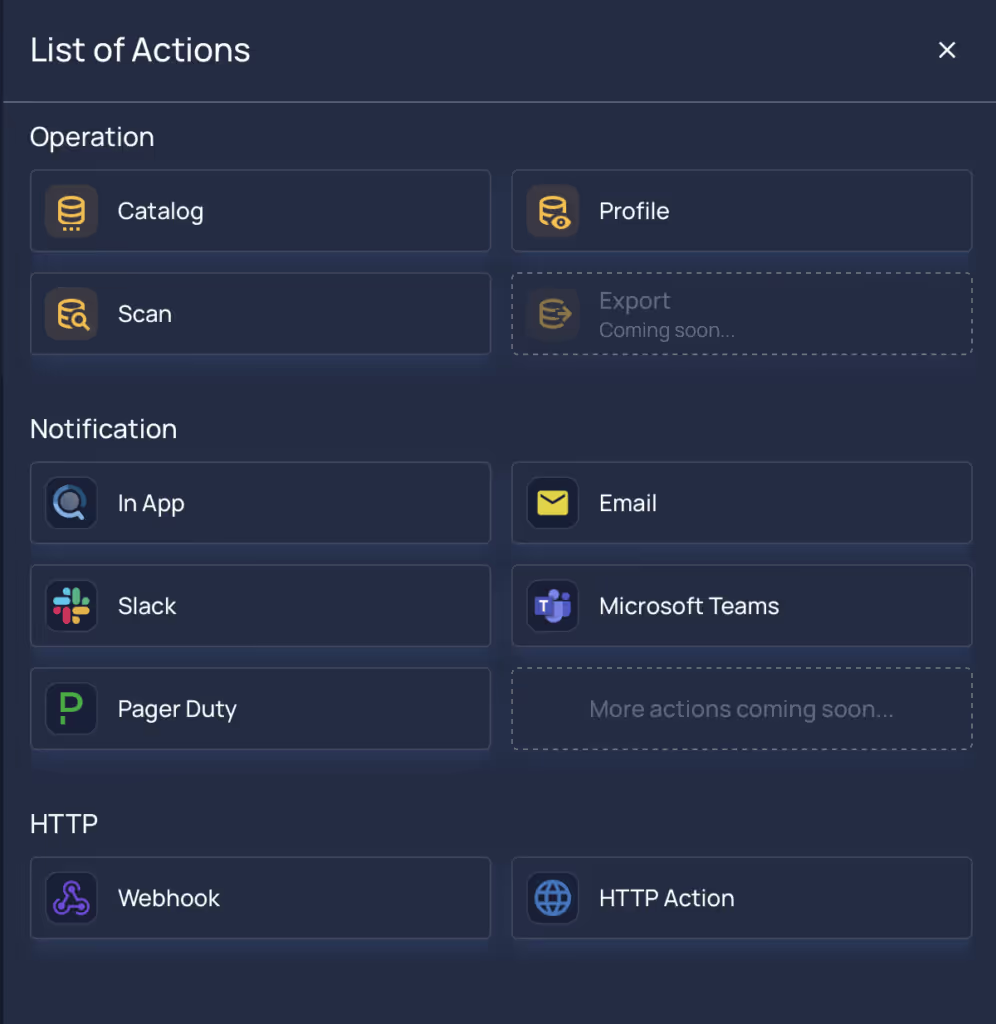
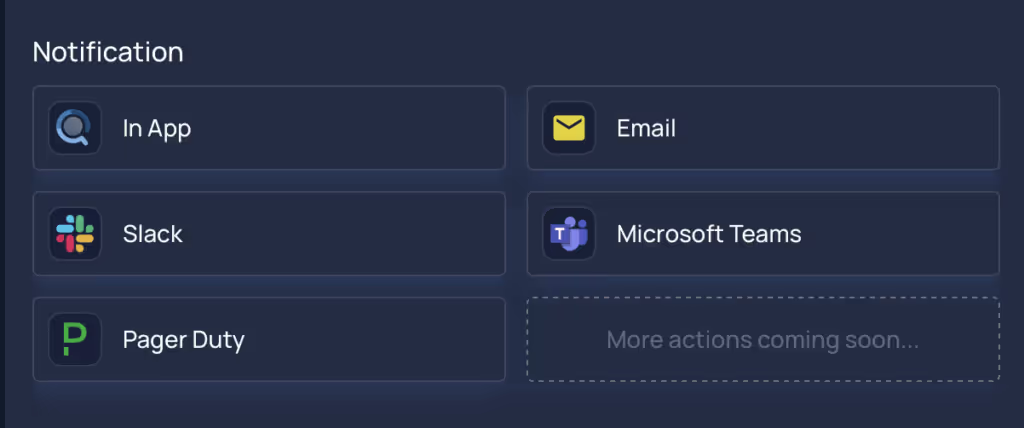
  • Diverse Action Support
    • Notify through in-app messages, Emails, Slack, Microsoft Teams, PagerDuty, and custom HTTP actions
    • Trigger operational tasks across cataloging, profiling, and scanning.
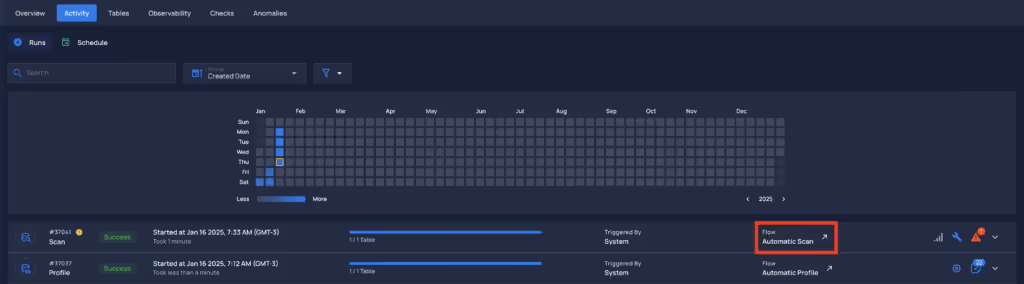
  • Flow Identification on Activity Tab
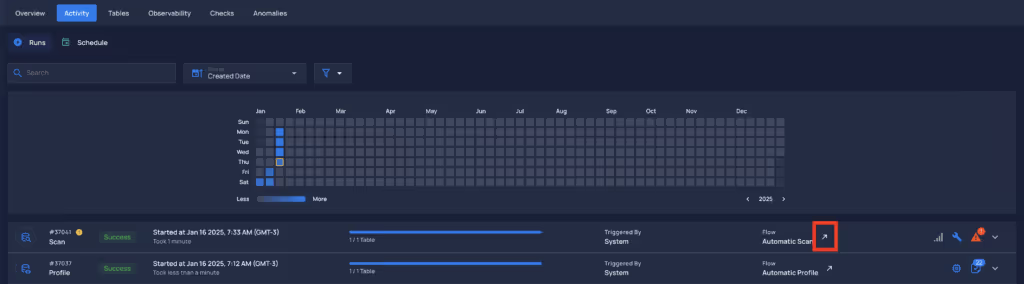
    • Operations executed by flows are marked in the new Flow column, displaying the associated flow name.
    • Users can navigate directly to the flow execution view from this tab.

General Fixes

  • Duplicate Anomalies on Scan Schedule Operations
    • Fixed an issue where duplicate anomalies were not being archived during scan operations despite user selection.
  • BigQuery Message Size
    • Enhanced default batch insertion size to improve performance and reliability.
  • Anomalous Record Integer out of Range
    • Updated check metrics to use BigInteger, addressing large value handling.
  • Fix Last Asserted Date
    • Resolved inconsistencies in the Last Asserted Date logic for partition and container scans.
  • General Fixes and Improvements.

Breaking Changes

  • Notification Rules Replaced by Flows
    • Existing notification rules have been migrated to Flows and will continue to function as before.
    • For new notifications the users must create a flow leveraging the Flows functionality.

As usual, our User Guide and accompanying Change Log captures more details about this release.

No items found.

Related Articles

Related News

Discover More From Qualytics.

Join the companies using Qualytics to make data quality proactive, automated, and shared across business and data teams.

Release 2025.1.16

Mid-January 2025 release delivering advanced quality trend analytics, improved metadata management, enhanced API documentation, and optimized performance across all modules.

Rafael Osiro

Jan 16, 2025

3

min read

About the Customer

Note
These notes catch up with several releases since our last published update on 2025.12.23 and are current as of the 2025.1.16 version of the platform
.

Feature Enhancements

Flows

  • Introducing Flows: Users can now create automated pipelines by chaining actions and configuring triggers based on predefined events and filters.
    • Triggers: Configurable based on events, filters, and operation conditions.
    • Actions: Include notifications (Email, Slack, PagerDuty, etc.) and operations (catalog, profile, and scan).
    • Real-Time Execution: Monitor execution history and real-time progress in the Flow Executions tab.
  • Setup Made Simple
    • Add and configure flows using the “Add Flow” button in the top-right corner.
    • Deactivate, delete, or edit flows via the vertical ellipses or node configurations.
  • Enhanced Triggering Options
    • Operations Complete, Anomalous Table/File Detected, and Anomaly Detected triggers provide flexible, event-driven automation.
    • Fine-tune triggers using filters like tags, rule types, or anomaly weights.
  • Diverse Action Support
    • Notify through in-app messages, Emails, Slack, Microsoft Teams, PagerDuty, and custom HTTP actions
    • Trigger operational tasks across cataloging, profiling, and scanning.
  • Flow Identification on Activity Tab
    • Operations executed by flows are marked in the new Flow column, displaying the associated flow name.
    • Users can navigate directly to the flow execution view from this tab.

General Fixes

  • Duplicate Anomalies on Scan Schedule Operations
    • Fixed an issue where duplicate anomalies were not being archived during scan operations despite user selection.
  • BigQuery Message Size
    • Enhanced default batch insertion size to improve performance and reliability.
  • Anomalous Record Integer out of Range
    • Updated check metrics to use BigInteger, addressing large value handling.
  • Fix Last Asserted Date
    • Resolved inconsistencies in the Last Asserted Date logic for partition and container scans.
  • General Fixes and Improvements.

Breaking Changes

  • Notification Rules Replaced by Flows
    • Existing notification rules have been migrated to Flows and will continue to function as before.
    • For new notifications the users must create a flow leveraging the Flows functionality.

As usual, our User Guide and accompanying Change Log captures more details about this release.

More case studies you might like

Discover More From Qualytics.

Release 2025.1.16

Mid-January 2025 release delivering advanced quality trend analytics, improved metadata management, enhanced API documentation, and optimized performance across all modules.

Note
These notes catch up with several releases since our last published update on 2025.12.23 and are current as of the 2025.1.16 version of the platform
.

Feature Enhancements

Flows

  • Introducing Flows: Users can now create automated pipelines by chaining actions and configuring triggers based on predefined events and filters.
    • Triggers: Configurable based on events, filters, and operation conditions.
    • Actions: Include notifications (Email, Slack, PagerDuty, etc.) and operations (catalog, profile, and scan).
    • Real-Time Execution: Monitor execution history and real-time progress in the Flow Executions tab.
  • Setup Made Simple
    • Add and configure flows using the “Add Flow” button in the top-right corner.
    • Deactivate, delete, or edit flows via the vertical ellipses or node configurations.
  • Enhanced Triggering Options
    • Operations Complete, Anomalous Table/File Detected, and Anomaly Detected triggers provide flexible, event-driven automation.
    • Fine-tune triggers using filters like tags, rule types, or anomaly weights.
  • Diverse Action Support
    • Notify through in-app messages, Emails, Slack, Microsoft Teams, PagerDuty, and custom HTTP actions
    • Trigger operational tasks across cataloging, profiling, and scanning.
  • Flow Identification on Activity Tab
    • Operations executed by flows are marked in the new Flow column, displaying the associated flow name.
    • Users can navigate directly to the flow execution view from this tab.

General Fixes

  • Duplicate Anomalies on Scan Schedule Operations
    • Fixed an issue where duplicate anomalies were not being archived during scan operations despite user selection.
  • BigQuery Message Size
    • Enhanced default batch insertion size to improve performance and reliability.
  • Anomalous Record Integer out of Range
    • Updated check metrics to use BigInteger, addressing large value handling.
  • Fix Last Asserted Date
    • Resolved inconsistencies in the Last Asserted Date logic for partition and container scans.
  • General Fixes and Improvements.

Breaking Changes

  • Notification Rules Replaced by Flows
    • Existing notification rules have been migrated to Flows and will continue to function as before.
    • For new notifications the users must create a flow leveraging the Flows functionality.

As usual, our User Guide and accompanying Change Log captures more details about this release.

More videos you might like

Discover More From Qualytics.