Release 2024.9.25

Late September 2024 update delivering enhanced metadata extraction, improved scan performance optimization, expanded API endpoints, and critical stability improvements throughout.

Rafael Osiro

Sep 25, 2024

3

min read

Table of Contents

Note

These notes catch up with several releases since our last published update on 2024.9.14 and are current as of the 2024.9.25 version of the platform.

Feature Enhancements

Observability

  • Time-series charts are presented to monitor data volume and related anomalies for each data asset.
    • Custom thresholds were added to adjust minimum and maximum volume expectations.
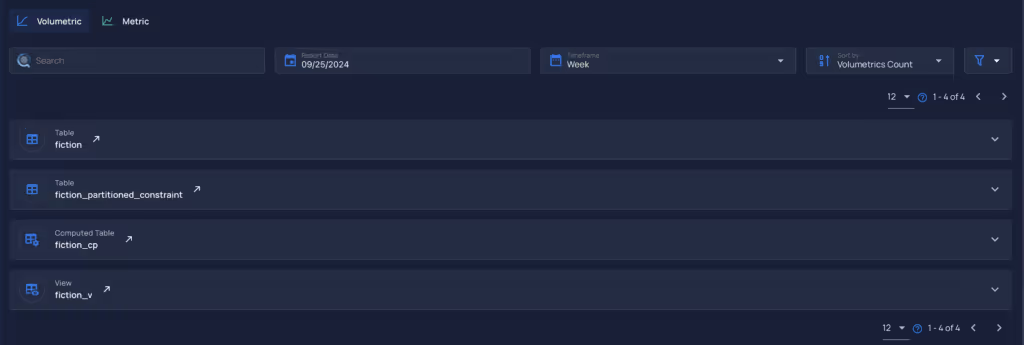
Volumetric Item closed
Volumetric Item opened
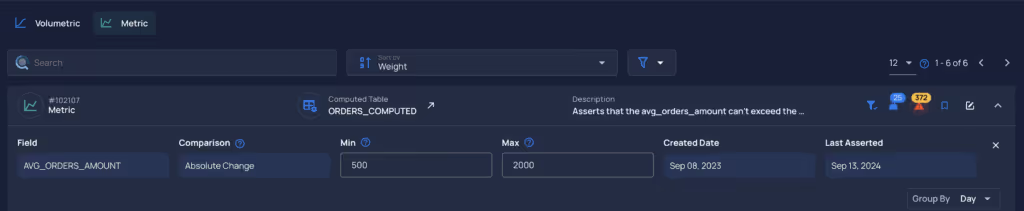
Metric
Custom thresholds
  • The Metrics tab has been moved to the Observability tab.
  • The Observability tab has replaced the Freshness page.

Check Category Options for Scan Operations

  • Users can select one or multiple check categories when running a scan operation.

Anomaly Trigger Rule Type Filter

  • Added a filter by check rule types to anomaly triggers. A help component was added to the tags selector to improve clarity.

Auto-Archive Anomalies

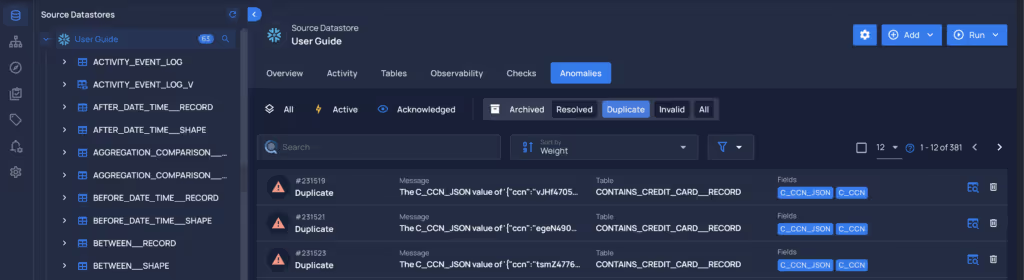
  • A new Duplicate status has been introduced for anomalies.
  • Users can now use Incremental Identifier ranges to auto-archive anomalies with the new Duplicate status.
  • An option has been added to scan operations to automatically archive anomalies identified as duplicates if the containers analyzed have incremental identifiers configured.
  • A dedicated tab for filtering duplicate anomalies has been added for better visibility.

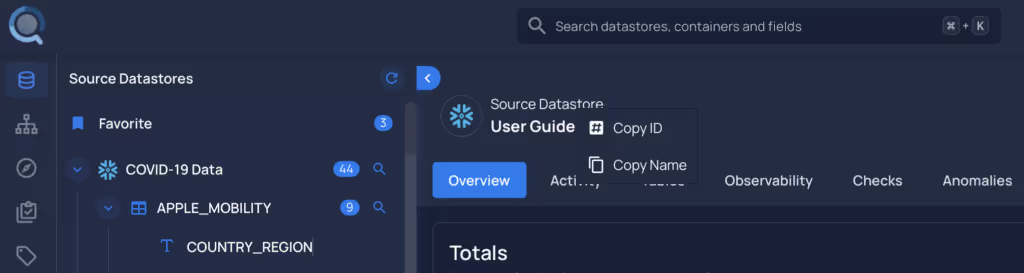
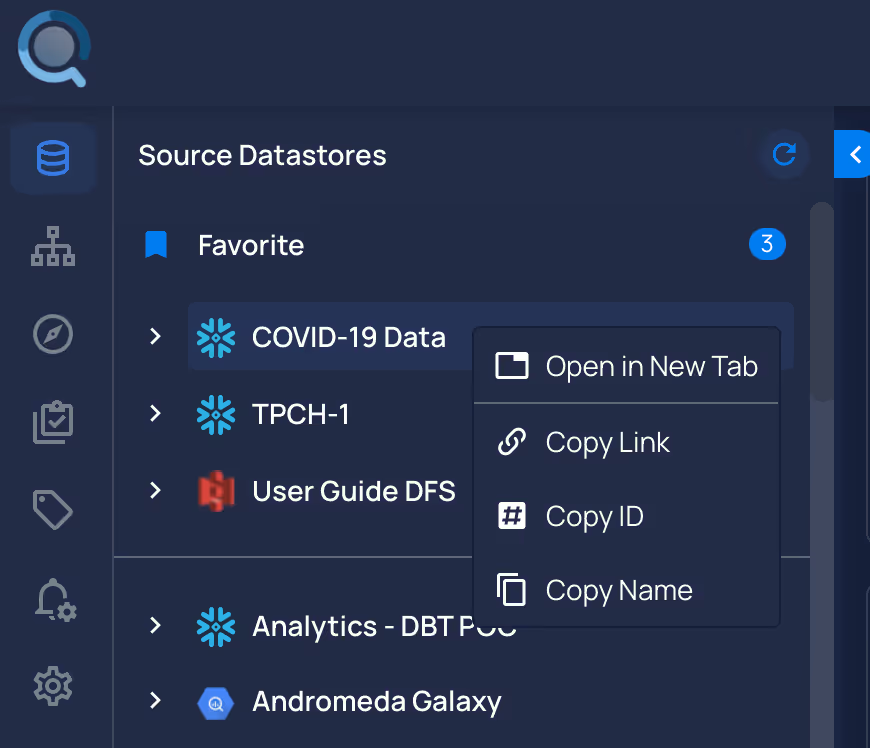
Tree View and Breadcrumb Context Menu

  • A context menu has been added, allowing users to copy essential information and open links in new tabs.
Datastore Tree View Context Menu
Datastore Breadcrumb Context Menu
  • Users can access the context menu by right-clicking on the assets.

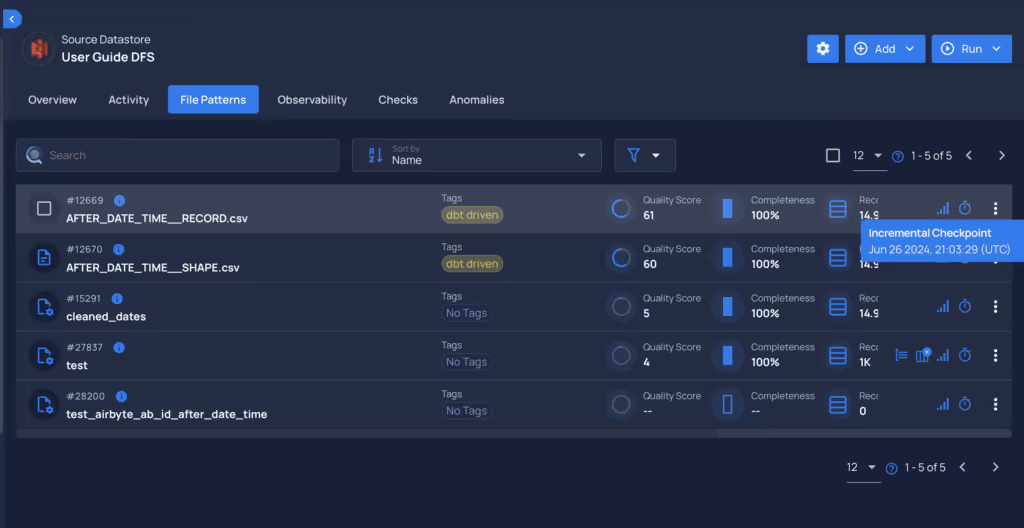
Incremental Identifier Support

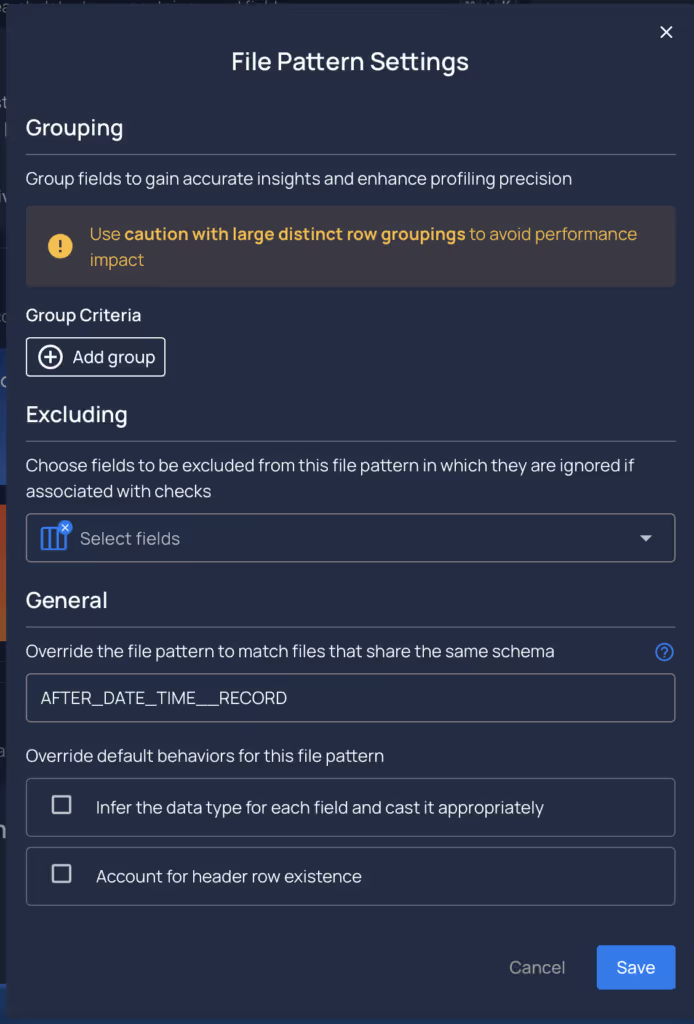
  • Users can manage incremental identifiers for computed tables and computed files.

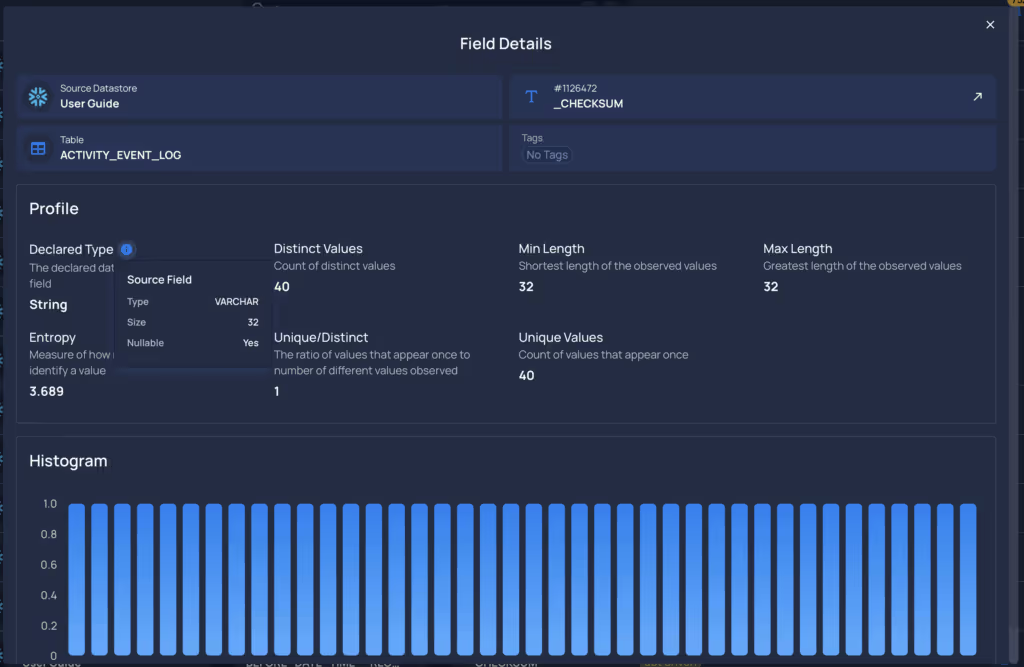
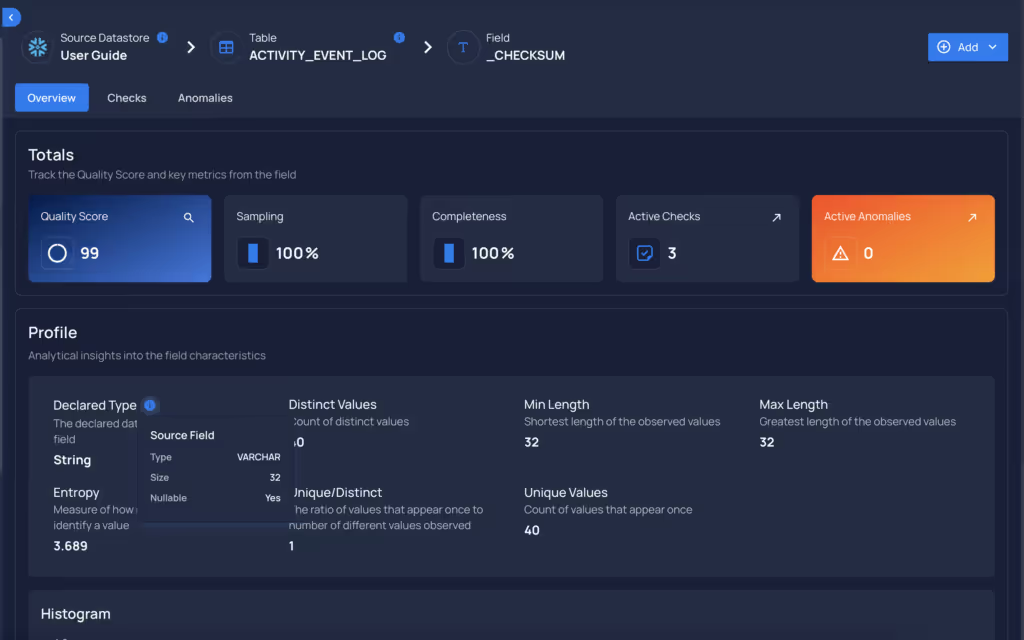
Native Field Properties

  • Users can now see native field properties in the field profile, displayed through an info icon next to the Type Inferred section.
Field Context
Explore Field Context

Qualytics CLI Update

  • Users can now import check templates.
  • A status filter has been added to check exports. Users can filter by Active, Draft, or Archived (which will include Invalid and Discarded statuses).

General Fixes and Improvements

  • The Oracle connector now handles invalid schemas when creating connections.
  • Anomalies identified in scan operations were not counting archived statuses.
  • Improved error message when a user creates a schedule name longer than 50 characters.
  • General Fixes and Improvements.

Breaking Changes

  • Freshness and SLA references have been removed from user notifications and notification rules, users should migrate to Observability using volumetric checks.

As usual, our User Guide and accompanying Change Log captures more details about this release.

No items found.

Related Articles

Related News

Discover More From Qualytics.

Join the companies using Qualytics to make data quality proactive, automated, and shared across business and date teams.

Release 2024.9.25

Late September 2024 update delivering enhanced metadata extraction, improved scan performance optimization, expanded API endpoints, and critical stability improvements throughout.

Rafael Osiro

Sep 25, 2024

3

min read

About the Customer

Note

These notes catch up with several releases since our last published update on 2024.9.14 and are current as of the 2024.9.25 version of the platform.

Feature Enhancements

Observability

  • Time-series charts are presented to monitor data volume and related anomalies for each data asset.
    • Custom thresholds were added to adjust minimum and maximum volume expectations.
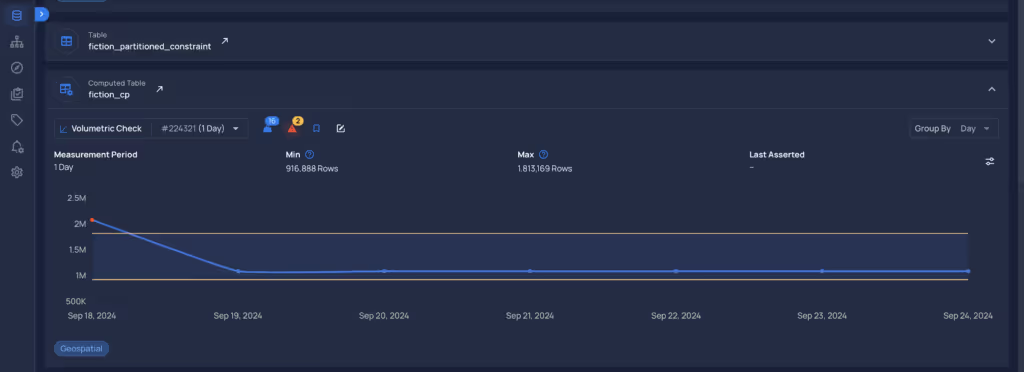
Volumetric Item closed
Volumetric Item opened
Metric
Custom thresholds
  • The Metrics tab has been moved to the Observability tab.
  • The Observability tab has replaced the Freshness page.

Check Category Options for Scan Operations

  • Users can select one or multiple check categories when running a scan operation.

Anomaly Trigger Rule Type Filter

  • Added a filter by check rule types to anomaly triggers. A help component was added to the tags selector to improve clarity.

Auto-Archive Anomalies

  • A new Duplicate status has been introduced for anomalies.
  • Users can now use Incremental Identifier ranges to auto-archive anomalies with the new Duplicate status.
  • An option has been added to scan operations to automatically archive anomalies identified as duplicates if the containers analyzed have incremental identifiers configured.
  • A dedicated tab for filtering duplicate anomalies has been added for better visibility.

Tree View and Breadcrumb Context Menu

  • A context menu has been added, allowing users to copy essential information and open links in new tabs.
Datastore Tree View Context Menu
Datastore Breadcrumb Context Menu
  • Users can access the context menu by right-clicking on the assets.

Incremental Identifier Support

  • Users can manage incremental identifiers for computed tables and computed files.

Native Field Properties

  • Users can now see native field properties in the field profile, displayed through an info icon next to the Type Inferred section.
Field Context
Explore Field Context

Qualytics CLI Update

  • Users can now import check templates.
  • A status filter has been added to check exports. Users can filter by Active, Draft, or Archived (which will include Invalid and Discarded statuses).

General Fixes and Improvements

  • The Oracle connector now handles invalid schemas when creating connections.
  • Anomalies identified in scan operations were not counting archived statuses.
  • Improved error message when a user creates a schedule name longer than 50 characters.
  • General Fixes and Improvements.

Breaking Changes

  • Freshness and SLA references have been removed from user notifications and notification rules, users should migrate to Observability using volumetric checks.

As usual, our User Guide and accompanying Change Log captures more details about this release.

More case studies you might like

Discover More From Qualytics.

Release 2024.9.25

Late September 2024 update delivering enhanced metadata extraction, improved scan performance optimization, expanded API endpoints, and critical stability improvements throughout.

Note

These notes catch up with several releases since our last published update on 2024.9.14 and are current as of the 2024.9.25 version of the platform.

Feature Enhancements

Observability

  • Time-series charts are presented to monitor data volume and related anomalies for each data asset.
    • Custom thresholds were added to adjust minimum and maximum volume expectations.
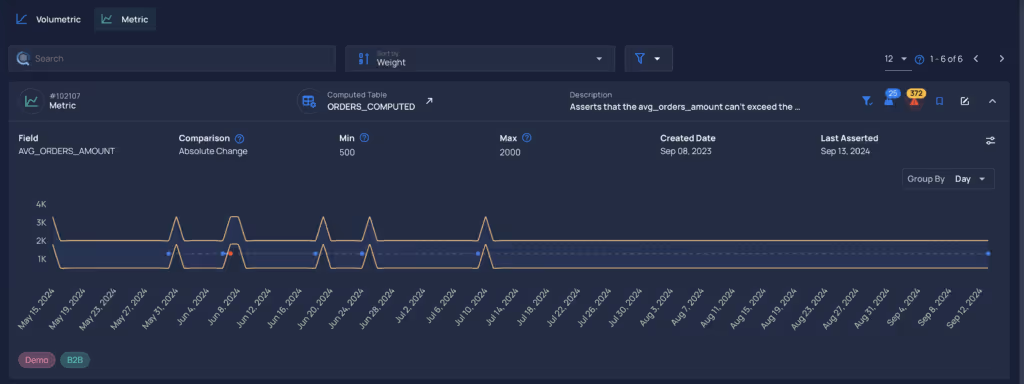
Volumetric Item closed
Volumetric Item opened
Metric
Custom thresholds
  • The Metrics tab has been moved to the Observability tab.
  • The Observability tab has replaced the Freshness page.

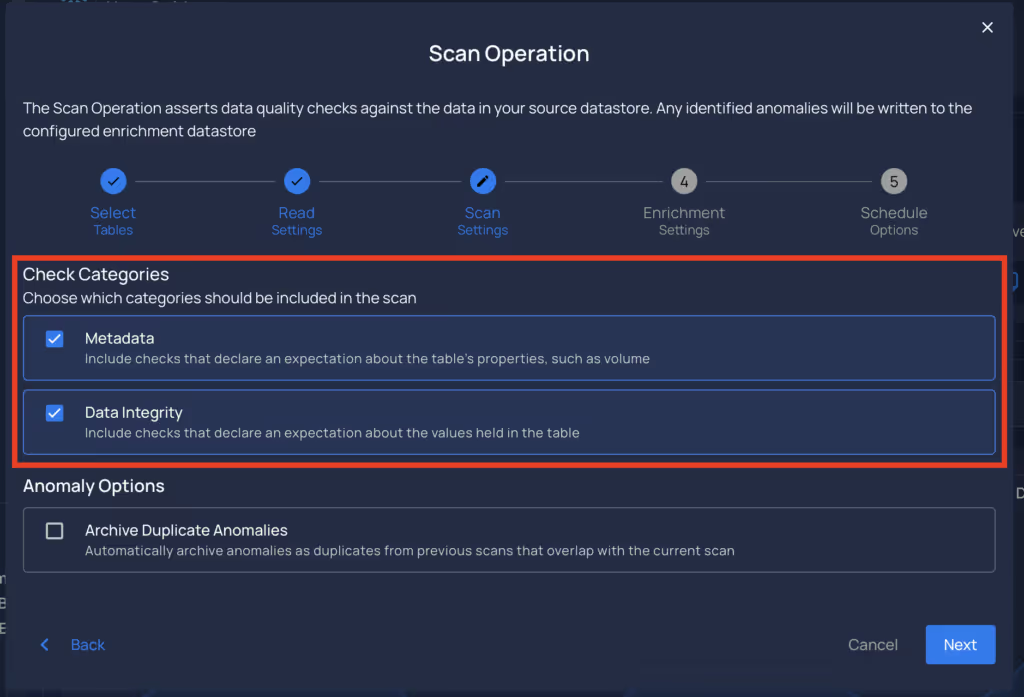
Check Category Options for Scan Operations

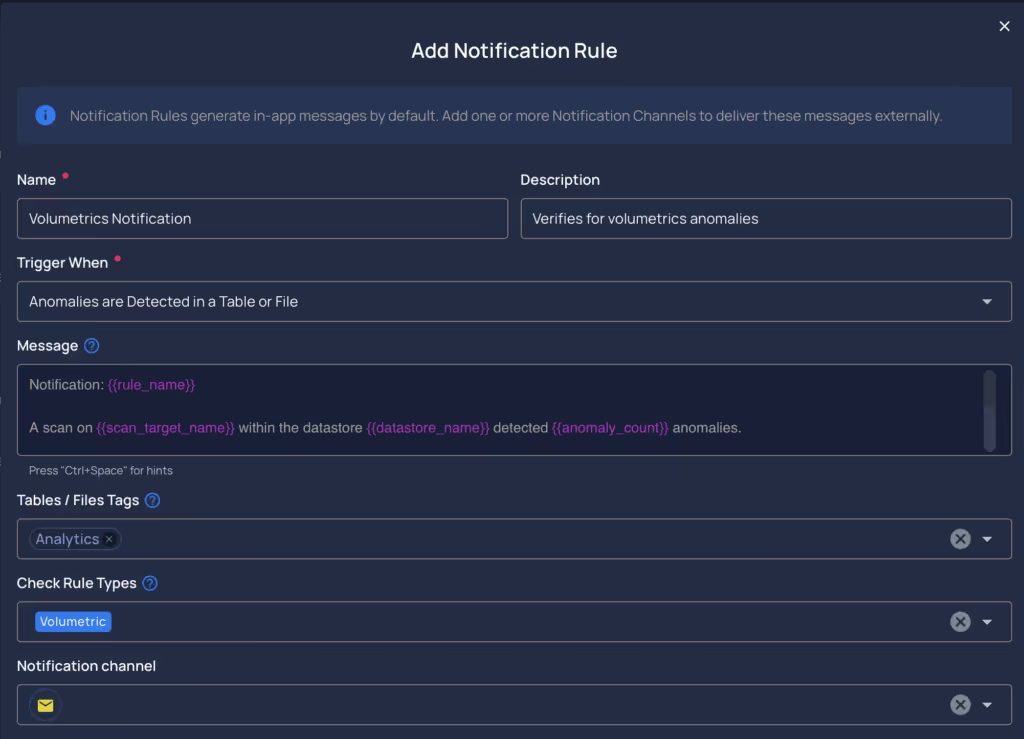
  • Users can select one or multiple check categories when running a scan operation.
Anomaly Trigger Rule Type Filter

  • Added a filter by check rule types to anomaly triggers. A help component was added to the tags selector to improve clarity.
Auto-Archive Anomalies

  • A new Duplicate status has been introduced for anomalies.
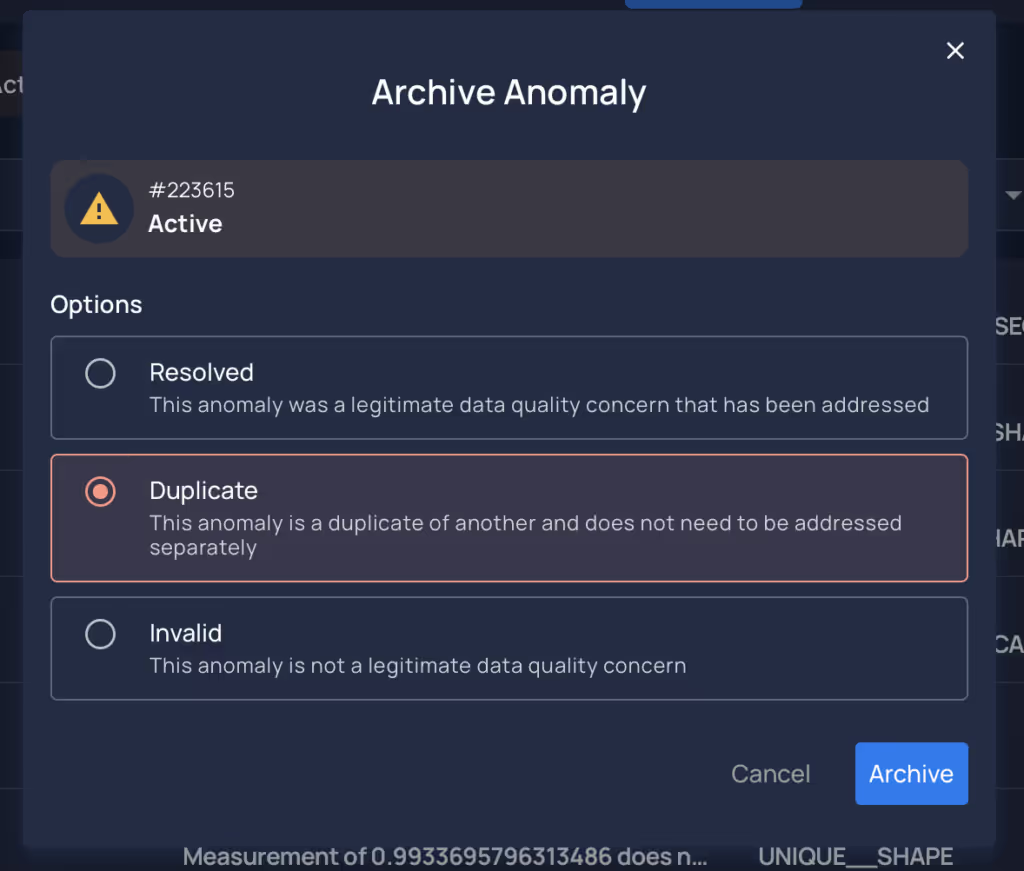
  • Users can now use Incremental Identifier ranges to auto-archive anomalies with the new Duplicate status.
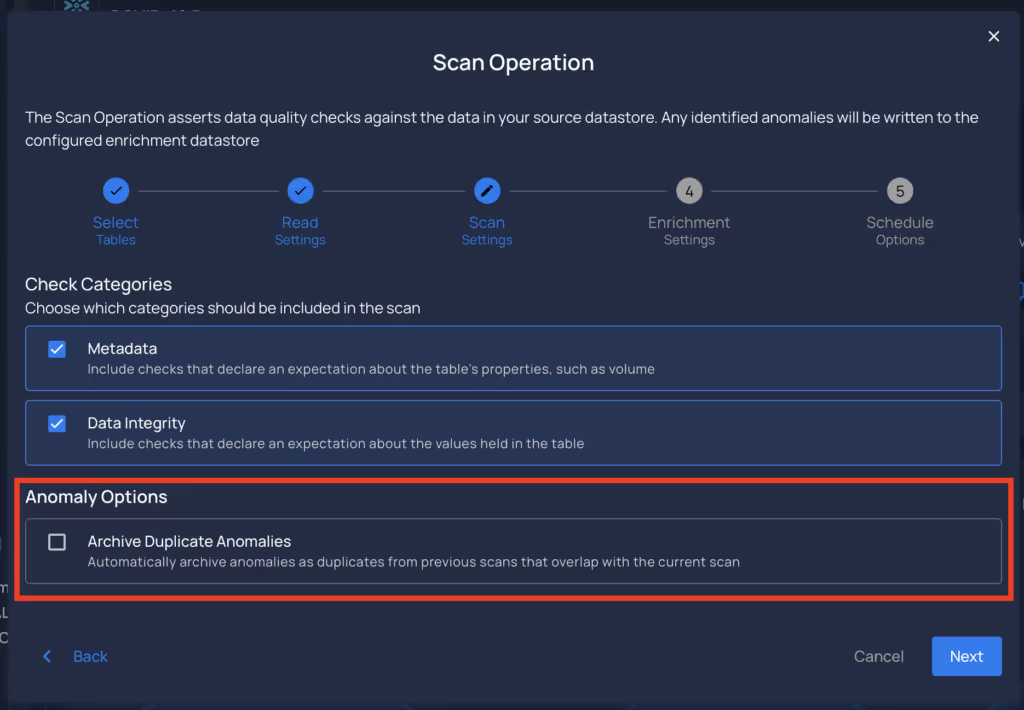
  • An option has been added to scan operations to automatically archive anomalies identified as duplicates if the containers analyzed have incremental identifiers configured.
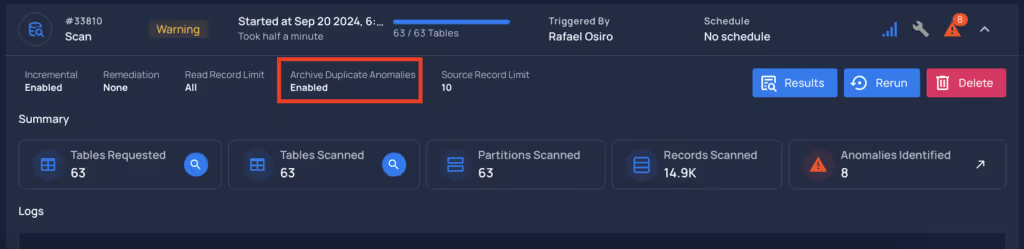
  • A dedicated tab for filtering duplicate anomalies has been added for better visibility.
Tree View and Breadcrumb Context Menu

  • A context menu has been added, allowing users to copy essential information and open links in new tabs.
Datastore Tree View Context Menu
Datastore Breadcrumb Context Menu
  • Users can access the context menu by right-clicking on the assets.

Incremental Identifier Support

  • Users can manage incremental identifiers for computed tables and computed files.
Native Field Properties

  • Users can now see native field properties in the field profile, displayed through an info icon next to the Type Inferred section.
Field Context
Explore Field Context

Qualytics CLI Update

  • Users can now import check templates.
  • A status filter has been added to check exports. Users can filter by Active, Draft, or Archived (which will include Invalid and Discarded statuses).

General Fixes and Improvements

  • The Oracle connector now handles invalid schemas when creating connections.
  • Anomalies identified in scan operations were not counting archived statuses.
  • Improved error message when a user creates a schedule name longer than 50 characters.
  • General Fixes and Improvements.

Breaking Changes

  • Freshness and SLA references have been removed from user notifications and notification rules, users should migrate to Observability using volumetric checks.

As usual, our User Guide and accompanying Change Log captures more details about this release.

More videos you might like

Discover More From Qualytics.