What shipped in Qualytics this January: automated anomaly workflows, new ticketing integrations, and a cleaner, faster interface.

Jan 30, 2026
2
min read
Table of Contents

Data quality work is rarely contained to a single team or tool. It crosses systems, requires coordination, and depends on handoffs going smoothly. The January release focused on reducing the friction in how teams detect, route, and resolve anomalies, with a cleaner interface to match.
Here's what shipped and what it means for your workflows.
Automation of anomaly workflows
Manual handoffs are one of the most common places data quality work stalls. Someone notices a status change, someone else needs to be notified, a ticket needs updating — and if any of those steps depend on a person remembering to do it, they're a liability.
Anomaly Status Changed flow trigger
The new Anomaly Status Changed trigger lets Flows respond automatically when an anomaly moves between statuses. Teams are notified, external systems are updated, and follow-up actions launch the moment a transition occurs. You can filter by specific status values to target only the transitions that matter to your workflows.
The result: status changes no longer fall through the cracks. The right people are notified, the next step kicks off automatically, and no one has to ask "who's handling this?"
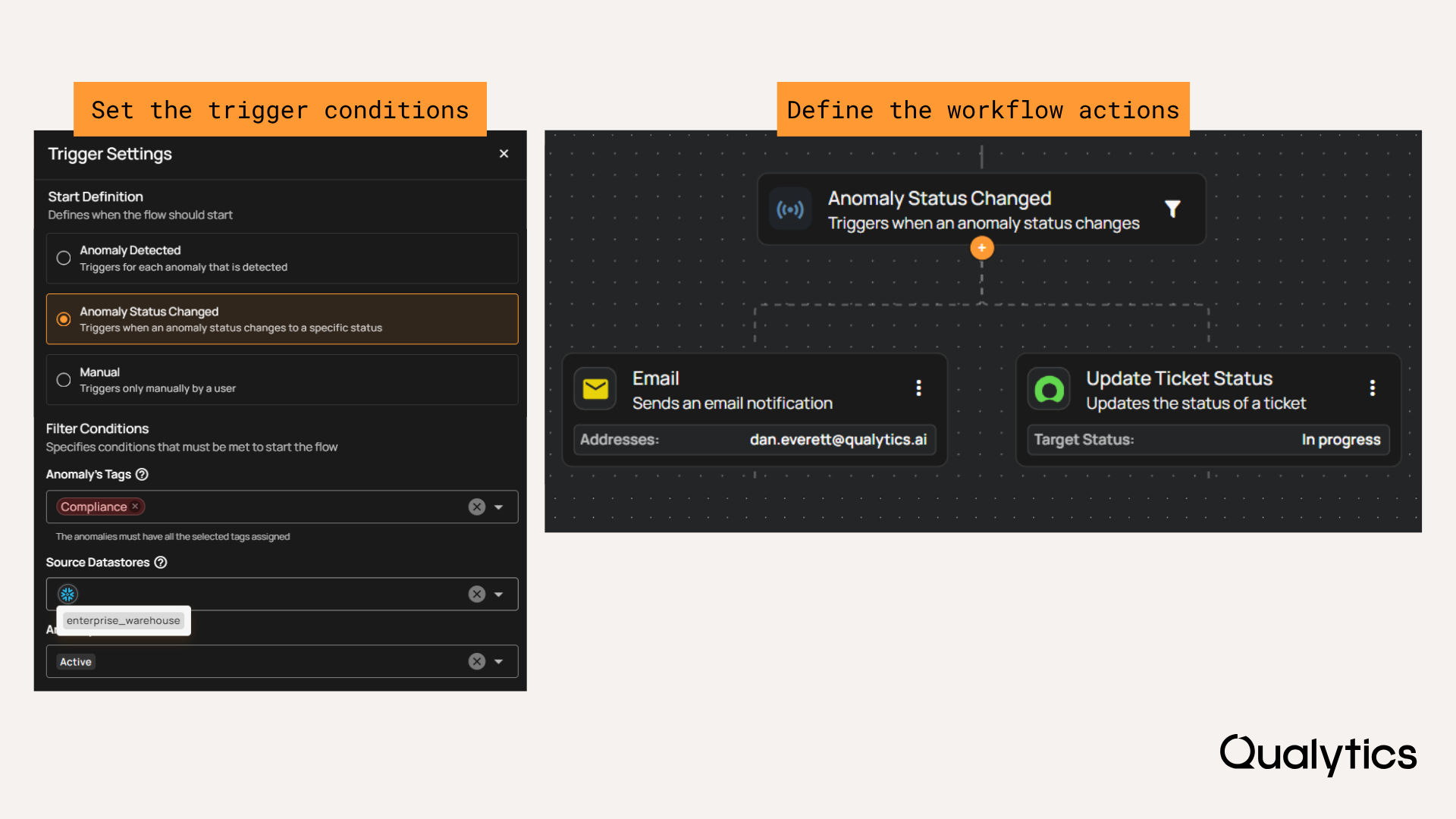
Create Ticket and Update Ticket Status flow actions
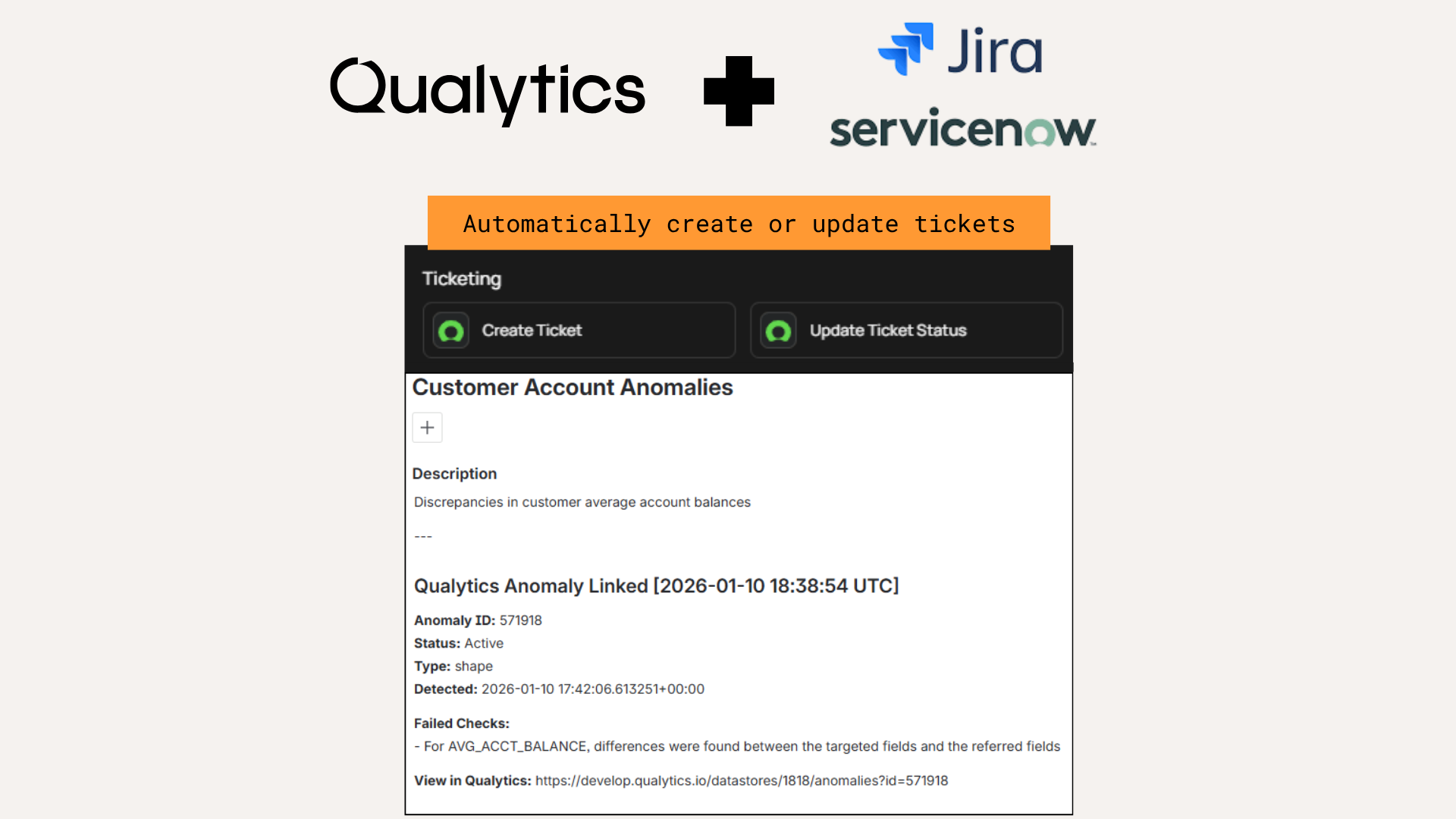
Two new flow actions extend that automation into your ticketing systems. Create Ticket generates tickets automatically in a connected system — Jira, ServiceNow, or another platform — when anomalies meet defined conditions. Update Ticket Status keeps linked tickets in sync as anomaly statuses change, without manual copy-and-paste across tools.
Together, these actions close the loop between Qualytics and the issue tracking systems your teams already use.
A cleaner, faster interface
Across the product, layouts, navigation, and key UI components have been refined for clearer hierarchy, better spacing, and less visual clutter. Pages are easier to scan, card layouts are more consistent across light and dark modes, and simplified navigation keeps the focus on your data.
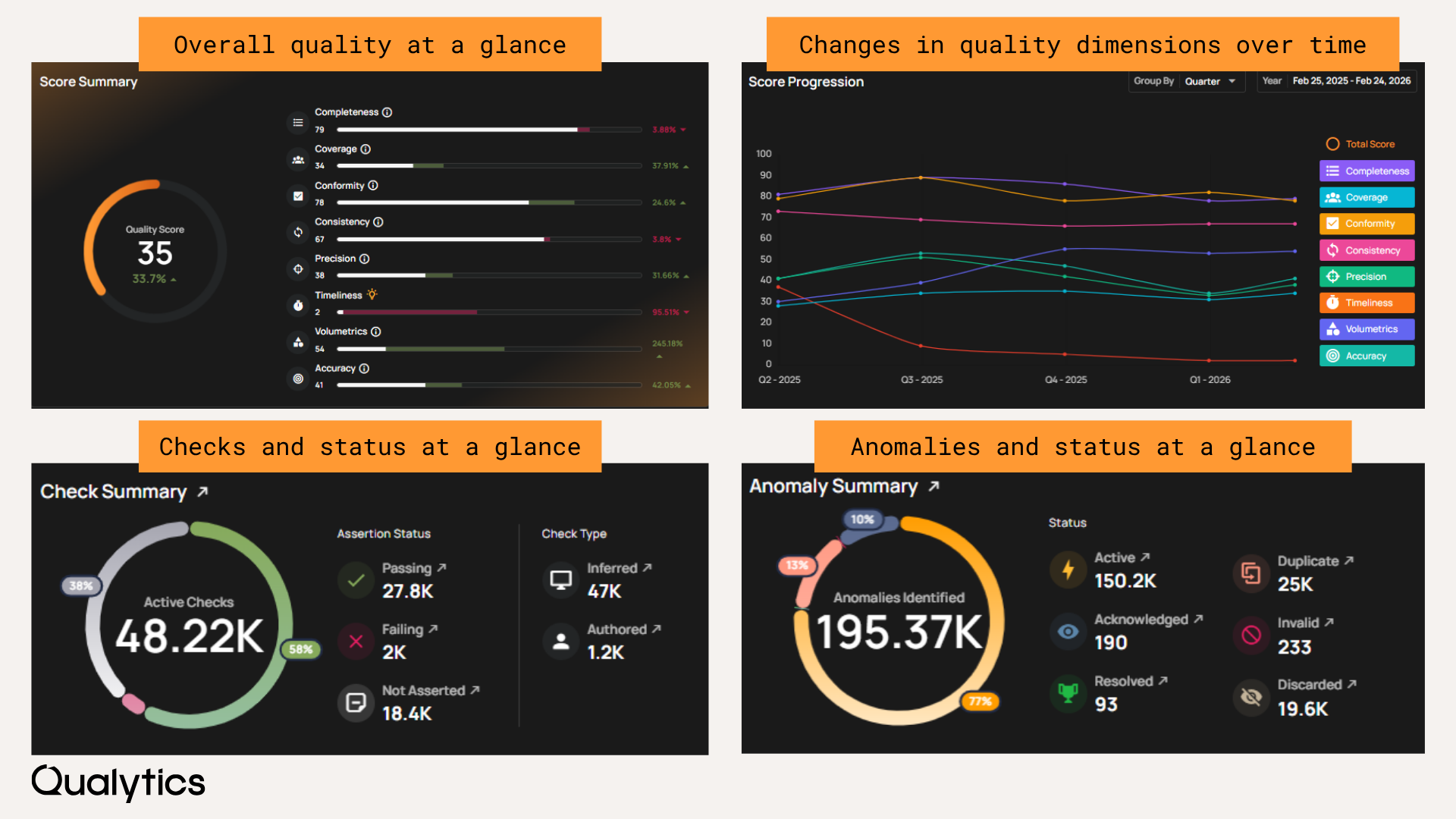
The Insights experience received particular attention. Quality scorecards and chart visuals have been updated so trends are easier to interpret and comparisons are easier to make at a glance — useful when you need to move quickly from identifying a pattern to taking action.
What's coming next
Next month: data quality for complex data types. More coverage, no flattening.
For full details on every feature and fix, see the release notes:
Questions? Reach out to your Customer Success Manager or contact us at support@qualytics.ai.