Release 2025.12.23

These notes catch up with several releases since our last published update on 2025.12.12 and are current as of the 2025.12.23 version of the platform.

Rafael Osiro

Dec 23, 2025

2

min read

Table of Contents

Jira Integration & In-App Ticket Management

You can now connect Jira to create and track tickets linked to anomalies, bringing data quality issues directly into your Jira workflows.
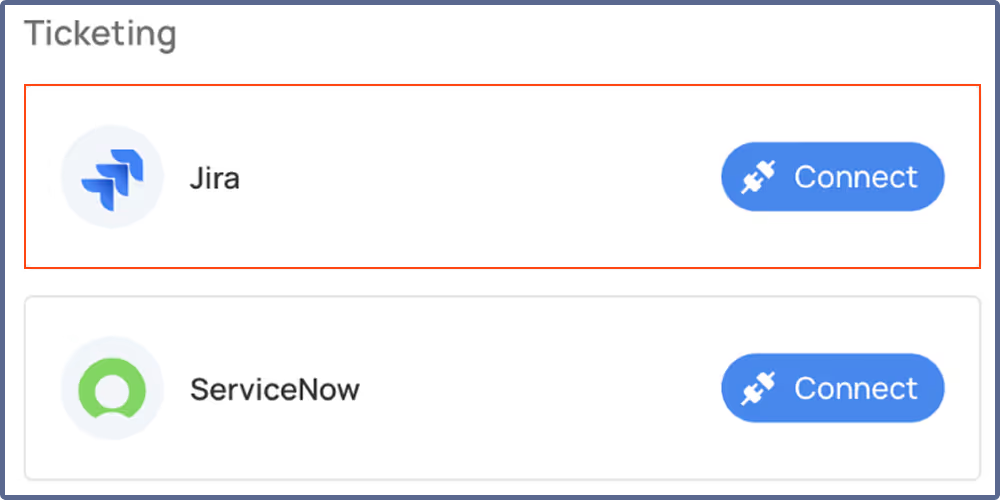
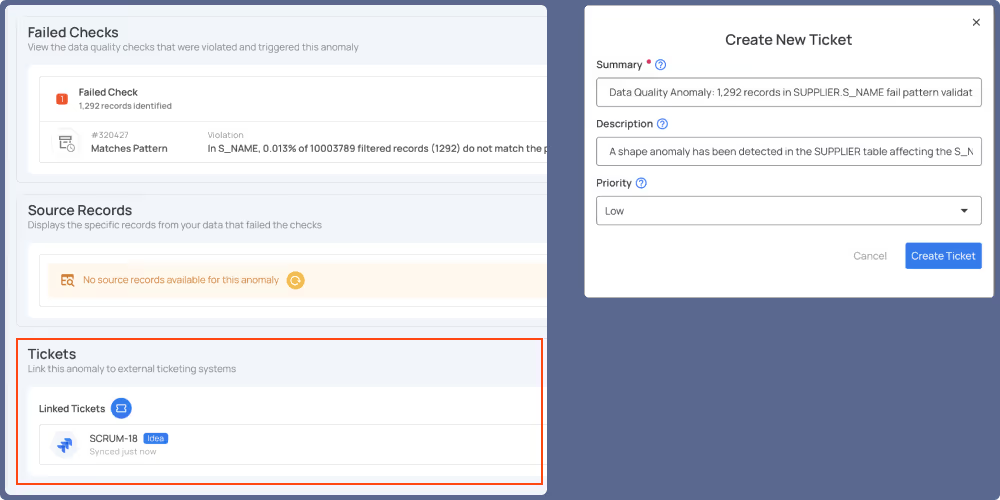
Ticket management is now available directly in the Qualytics UI for both Jira and ServiceNow. From the anomaly overview page, you can create tickets, search for existing ones, or link anomalies to tickets already in your system. Linked tickets stay in sync as anomaly status and comments change, letting you manage and monitor issues without leaving Qualytics.
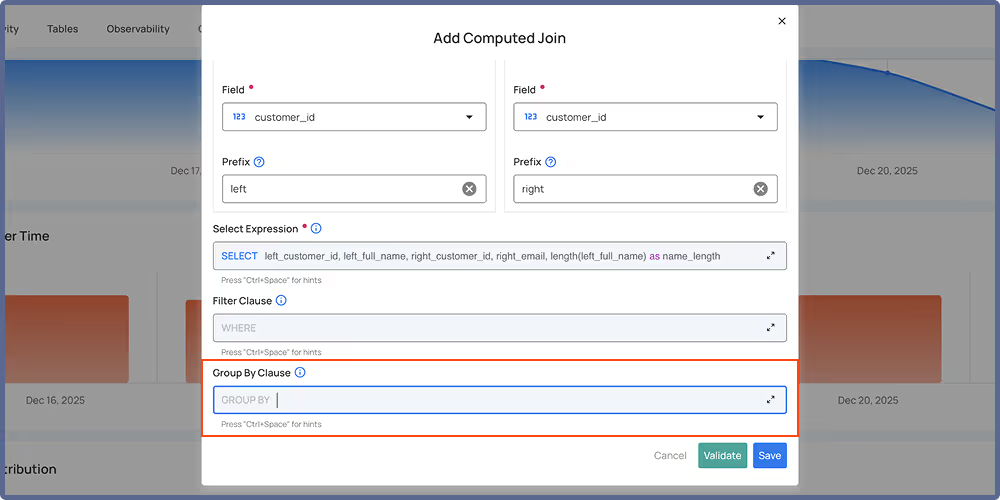
Group By Support for Computed Joins and Computed Files

Define grouping expressions when creating computed joins and computed files, enabling you to use aggregation functions for more powerful data transformations.
Improvements (3)

  • Improved Insights endpoint performance with optimized quality score queries.
  • MCP server integration now supports ChatGPT in addition to Claude Desktop and Cursor.
  • Enhanced Agent Q with global data asset search, async operation monitoring, and metadata management capabilities.

As usual, our User Guide and accompanying Change Log captures more details about this release.

No items found.

Related Articles

Related News

Release 2025.12.23

These notes catch up with several releases since our last published update on 2025.12.12 and are current as of the 2025.12.23 version of the platform.

Rafael Osiro

Dec 23, 2025

2

min read

About the Customer

Jira Integration & In-App Ticket Management

You can now connect Jira to create and track tickets linked to anomalies, bringing data quality issues directly into your Jira workflows.

Ticket management is now available directly in the Qualytics UI for both Jira and ServiceNow. From the anomaly overview page, you can create tickets, search for existing ones, or link anomalies to tickets already in your system. Linked tickets stay in sync as anomaly status and comments change, letting you manage and monitor issues without leaving Qualytics.

Group By Support for Computed Joins and Computed Files

Define grouping expressions when creating computed joins and computed files, enabling you to use aggregation functions for more powerful data transformations.

Improvements (3)

  • Improved Insights endpoint performance with optimized quality score queries.
  • MCP server integration now supports ChatGPT in addition to Claude Desktop and Cursor.
  • Enhanced Agent Q with global data asset search, async operation monitoring, and metadata management capabilities.

As usual, our User Guide and accompanying Change Log captures more details about this release.

More case studies you might like

Release 2025.12.23

These notes catch up with several releases since our last published update on 2025.12.12 and are current as of the 2025.12.23 version of the platform.

Jira Integration & In-App Ticket Management

You can now connect Jira to create and track tickets linked to anomalies, bringing data quality issues directly into your Jira workflows.

Ticket management is now available directly in the Qualytics UI for both Jira and ServiceNow. From the anomaly overview page, you can create tickets, search for existing ones, or link anomalies to tickets already in your system. Linked tickets stay in sync as anomaly status and comments change, letting you manage and monitor issues without leaving Qualytics.

Group By Support for Computed Joins and Computed Files

Define grouping expressions when creating computed joins and computed files, enabling you to use aggregation functions for more powerful data transformations.

Improvements (3)

  • Improved Insights endpoint performance with optimized quality score queries.
  • MCP server integration now supports ChatGPT in addition to Claude Desktop and Cursor.
  • Enhanced Agent Q with global data asset search, async operation monitoring, and metadata management capabilities.

As usual, our User Guide and accompanying Change Log captures more details about this release.

More videos you might like